What it is good at
- Photorealistic default
- Good value
Black Forest Labs · Image · 16 credits per image
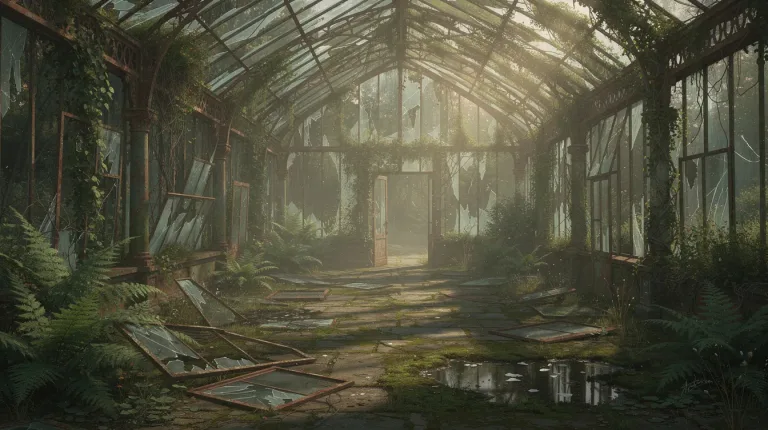
FLUX 2 [max] is the everyday photoreal engine behind more Ugesi tools than almost any other image model. Use it when realism matters more than lettering, and keep text-heavy layouts for GPT Image 2.
16 credits per image.
For a new picture from a prompt, open AI Image Generator. Start from Product on marble, Food shot or Cinematic portrait. To change a photo you already have, AI Photo Editor covers Change sky, Brighten face and Make it night. AI Image Editor handles Product on white, Swap the object and Remove logo.
Expand Image adds room with More on the sides, More above and below or More all around. Image to Image restyles an upload with presets like Night version or Photoreal from art. Several specialist tools run on the same model. These include AI Pet Portrait, AI Haircut, AI House Exterior Design, AI Tattoo Generator and Line Art Generator.
It responds well to camera and light language. For a product shot, try "ceramic coffee mug on a walnut desk. Morning window light from the left, shallow depth of field, 50mm photo." For a believable street portrait, try "woman in a gray wool coat on a rainy street at dusk. Neon reflections on wet pavement, candid."
Describe materials and the light source before style words. Realism comes from the surface details you name.
Four aspect ratios are offered: 1:1, 4:5, 16:9 and 9:16. Use 4:5 for an Instagram feed post and 9:16 for Stories and Reels covers. Pick 16:9 for a website hero or a YouTube thumbnail. Choosing the ratio first changes the composition the model builds, which beats cropping a square afterwards.
Lettering is weaker than in GPT Image 2. Short words on a sign may come out fine. A menu, a price list or a poster headline often has mangled letters. Instead, leave space with the Add text space preset and set the type in your design tool. You can also send the layout to GPT Image 2 at 14 credits, which keeps small text readable.
If you only need a quick draft from a prompt, Nano Banana at 12 credits is cheaper. It does not take an upload on Ugesi. When a final image has to go to print, the AI Image Upscaler enlarges it 4x today. Topaz Image Upscale at 13 credits is listed but not open yet.
Each image is 16 credits, about $0.17 on the best pack. A batch of ten separate runs is 160 credits, around $1.70. That puts it 36th from the cheapest of 41 image models. It pays to draft on something lighter and switch to this one once the prompt is settled.
| Pack | Credits | Runs |
|---|---|---|
| $9 | 750 | 46 |
| $19 | 1,650 | 103 |
| $39 | 3,500 | 218 |
| $79 | 7,300 | 456 |
| $149 | 14,000 | 875 |
curl -X POST https://ugesi.com/api/generate \
  -H "Authorization: Bearer YOUR_API_KEY" \
  -H "Content-Type: application/json" \
  -d '{
    "model": "flux-2",
    "prompt": "a product shot on white marble"
  }'
<?php
$ch = curl_init('https://ugesi.com/api/generate');
curl_setopt_array($ch, [
CURLOPT_POST => true,
CURLOPT_RETURNTRANSFER => true,
CURLOPT_HTTPHEADER => [
'Authorization: Bearer YOUR_API_KEY',
'Content-Type: application/json',
],
CURLOPT_POSTFIELDS => json_encode([
'model' => 'flux-2',
'prompt' => 'a product shot on white marble',
]),
]);
$response = json_decode(curl_exec($ch), true);
curl_close($ch);
print_r($response);type GenerateRequest = {
model: string;
prompt: string;
};
type GenerateResponse = {
job_id: number;
job_token: string;
credits_held: number;
status: "queued" | "succeeded";
output_text?: string;
};
const body: GenerateRequest = {
model: "flux-2",
prompt: "a product shot on white marble",
};
const resp = await fetch("https://ugesi.com/api/generate", {
method: "POST",
headers: {
"Authorization": `Bearer ${process.env.UGESI_API_KEY}`,
"Content-Type": "application/json",
},
body: JSON.stringify(body),
});
if (!resp.ok) throw new Error(`HTTP ${resp.status}`);
const job = (await resp.json()) as GenerateResponse;
console.log(job.job_id, job.status);import requests
resp = requests.post(
"https://ugesi.com/api/generate",
headers={"Authorization": "Bearer YOUR_API_KEY"},
json={
"model": "flux-2",
"prompt": "a product shot on white marble",
},
timeout=60,
)
resp.raise_for_status()
print(resp.json()){
"model": "flux-2",
"prompt": "a product shot on white marble"
}The API comes with every credit pack, from Lite to Enterprise, and uses the same balance as the website. API documentation and access →
Outputs made with paid credits can be used commercially. The maker's own rules for FLUX 2 [max] also apply (Black Forest Labs API terms). The full rules are in our Terms of service.
AI Photo Editor has Remove background and Clean background presets. Need a white studio backdrop for a store listing? AI Image Editor's Product on white preset is the quicker route.
Short words can work, but longer text is unreliable. GPT Image 2 at 14 credits is the better pick for posters and menus. You can also add the type yourself afterwards.
Yes, in tools that take uploads. AI Pet Portrait accepts several images, while AI Photo Editor, Image to Image and Expand Image each take one.
The 750-credit pack covers dozens of runs at 16 credits each.
Pay only for what you generate. New accounts start with free credits, no card needed.
Start for freeEssential cookies keep you signed in and protect forms. With your consent we also use statistics: where visits come from (for example a campaign) and which tools work. You can change your choice at any time under “Cookie settings” in the footer. Cookie policy
Essential (always on)
Sign-in, form security and remembering this choice.
An anonymous visit ID and the campaign source (utm), so we know what works. This data stays with us.
