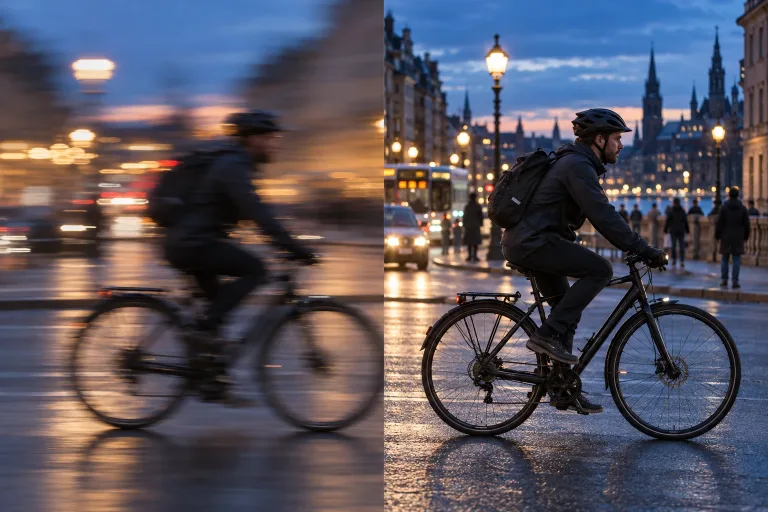
How to use Unblur Image
Upload the original blurry photo
Add it under Your image: JPG, PNG or WebP, up to 10 MB. Use the original file rather than a screenshot or a copy saved from a chat app. Every re-save adds compression, one of the causes of lost edges.
Sharpen and compare
Press "Unblur image" and compare the result with the original at full size. Look at eyes, edges and any text. Mild to moderate blur comes back convincingly. Strong motion blur is rebuilt rather than recovered, so check that faces and lettering still match the original.
Use heavy fixes with care
On heavy blur, the tool can invent detail. Keep the original whenever the image has to serve as evidence. For print, upscale the sharpened version afterwards. If the photo is old or noisy rather than blurry, the photo enhancer suits it better.
What a real job costs here
Runs on this page cost 10 credits. At the best pack rate that is about $0.1064.
| Pack | Credits | Runs with Photo Enhance (2×) |
|---|---|---|
| $9 | 750 | 75 |
| $19 | 1,650 | 165 |
| $39 | 3,500 | 350 |
| $79 | 7,300 | 730 |
| $149 | 14,000 | 1,400 |
What this model is good at and where it stops
Photo Enhance (2×)
Blur has three causes and one fix
Missed focus, camera shake and heavy compression all destroy edges. The model rebuilds those edges rather than sharpening what is left.
What it can and cannot recover
Mild to moderate blur comes back convincingly. Severe motion blur is reconstruction, not recovery, so treat the result as a new image.
Also known as a photo sharpener
Same job, different words. If the photo is old or noisy rather than blurry, the photo enhancer handles that case.
What a run costs here
10 credits per image. The exact total sits above the button before you generate.
Frequently asked questions
Does it work on faces?
Yes, but there is no separate face restoration: the whole photo, faces included, is rebuilt at twice the size. Check eyes and teeth closely on a face that matters.
Will it invent detail?
On heavy blur, yes. Keep the original file if the image has to serve as evidence.
Can I steer the result with text?
No. Sharpening is automatic and works from the image alone, with no text instructions. The result comes back at twice the size.
Is this a photo sharpener?
Yes. Photo sharpener, image deblur and unblur all land here. One pass rebuilds the edges.
