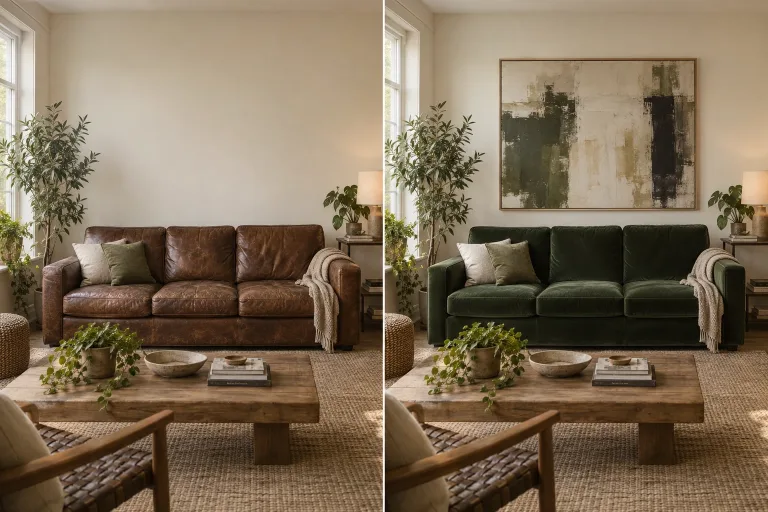
How to use AI Image Editor
Upload the image to edit
Add a photo, render or artwork under Your image: JPG, PNG or WebP up to 10 MB. Use the largest, sharpest version you have, especially when the edit touches small text, logos or faces.
Describe one change
In "Describe the edit", say what to change and what must stay. For example: "make the jacket dark green, keep the face and background unchanged". Picking a Style preset fills the box with a ready instruction you can adjust.
Pick a model
Choose one under Model. The models differ: some follow literal instructions and render text more reliably, others give more photoreal skin and texture. If an edit misses, run the same instruction on another model before rewriting it.
Compare with the original
Press "Edit image" and check the edited spot and everything that should not change: faces, text, logos, edges. If other areas shifted, name them in the instruction as things to keep. For several changes, run one edit at a time.
What a real job costs here
The cheapest model on this page charges 8 credits and the most expensive 38 credits. At the best pack rate that is about $0.0851 up to $0.4044.
| Pack | Credits | Runs with GPT Image 2 (medium) |
|---|---|---|
| $9 | 750 | 53 |
| $19 | 1,650 | 117 |
| $39 | 3,500 | 250 |
| $79 | 7,300 | 521 |
| $149 | 14,000 | 1,000 |
Choosing between the models on this page
Grok Imagine Image 2: Fast concepts, logos and social graphics where a low rate matters. 2K images at a low rate. Watch out for: edits take one input image.
GPT Image 2 (medium): Posters, menus, interfaces and any image with readable text. Typography that stays readable at small sizes. Watch out for: not the most photoreal option.
FLUX 2 [max]: Everyday photoreal image generation and iteration. Photorealistic default. Watch out for: text rendering is weaker than GPT Image 2.
GPT Image 2.5: Edits and product shots where the subject must stay recognizable. Sharper detail and more natural light. Watch out for: small, dense text can still break.
Nano Banana 2: Volume image work that still needs to look real. Fast photoreal output. Watch out for: less fine texture than Pro.
Nano Banana Pro: Hero images where realism decides the result. Photoreal skin and texture. Watch out for: higher rate than everyday image models.
Beyond photos
An image editor has a wider job than a photo editor. Product renders, illustrations, screenshots and AI generations all land here. The same instruction-driven engine handles them: describe the change and the model redraws the image with it. It keeps the rest as close to the original as it can. The result keeps the image's orientation in the closest supported shape, not always the exact original size.
Restyle or repair
Two edits dominate. Restyling: make it watercolor, make it night, make it minimal. Repair: fix hands, remove artifacts, straighten type. Both are one sentence each. Run them as separate passes for the cleanest result.
Chain it
Editing is rarely the last step. The buttons under the result send it onward. The 4x upscaler prepares it for print, and the background remover gives a clean cut-out. Image-to-video puts it in motion.
Frequently asked questions
How is this different from the AI photo editor?
Same engine, different intent: the photo editor is tuned around real photographs, this page around any image. Renders, art, generations included.
Can I edit an image I generated here?
Yes. Download the result, then upload it here under "Your image".
Which model should I start with?
GPT Image 2 (medium) when the edit touches text or needs a literal instruction followed. FLUX 2 [max] for everyday photoreal edits. Nano Banana Pro when fine texture or lighting matters more than price.
What does GPT Image 2 (medium) cost here?
14 credits per image. The exact total appears above the button before you generate.
