Camera moves 3
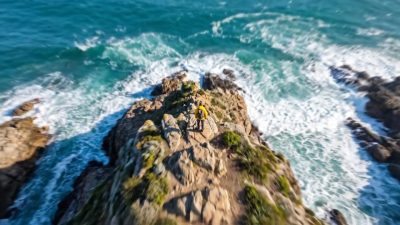 Zoom to Earth
Starts far above the planet and falls continuously toward one point on the ground.
Open effect
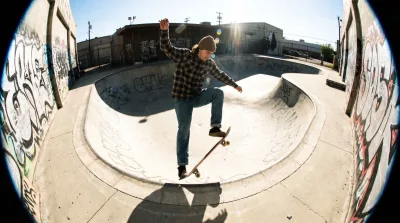 Fisheye
Bends straight lines outward from the center, the way a very wide lens does. Verticals near the edge lean in.
Open effect
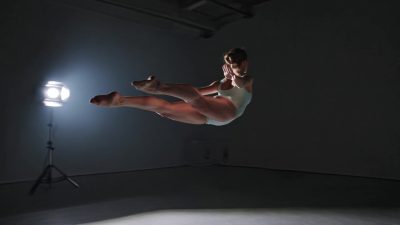 Bullet time
Freezes the subject and swings the camera around it, the effect made famous by early 2000s action films.
Open effect
Sound 1
What a preset actually is
There are 4 presets here across 2 categories. Each one is a prompt written for a specific look, not a filter applied after the fact.
That difference matters. A filter changes pixels that already exist. A preset changes what gets generated, which is why the result holds up when you look closely.
How to use one
Open the preset, upload your own image or clip, and generate. The prompt is written for you and stays visible, so you can see exactly what was asked for.
Then change a word. That is the part most people skip. It is where the difference between a stock result and your result comes from.
Every run produces a link carrying the settings. Send it to someone and they open the same setup without you describing it.
What it costs to start here
A new account gets 100 credits with no card once its email is confirmed. They run the fast image models. That is enough to see how the site works before you buy a pack.
After that, credits are bought in packs starting at nine dollars and stay valid for 12 months. Nothing renews, so an unused balance waits rather than expiring at the end of a month.
Every rate on this site is published on the page that uses it. It is shown again above the generate button. The number you see before a run is the number you pay.
Questions about
Do I need an account to look around?
No. Every page, rate and limit is public. An account is only needed to generate, and it starts with 100 free credits.
Is there a subscription?
No. Credits are bought in packs and stay valid for 12 months. They work across every model and tool on the site.
What happens when a generation fails?
The credits are released automatically. You pay for finished results, which matters most on the expensive video models.
Can I use the results commercially?
Yes, on paid packs, under the UGESI terms and the license of the model that produced the result.
Picking the right one
Camera moves produce video: from your photo they make a short clip in which the camera moves. Looks and grades produce stills. Pick by what you need to publish.
If you are building a series, use the same preset across all of it. Consistency comes from repeating settings rather than re-describing the style each time.
Presets also stack. Run one, then send the result into upscaling or animation without downloading anything in between.
