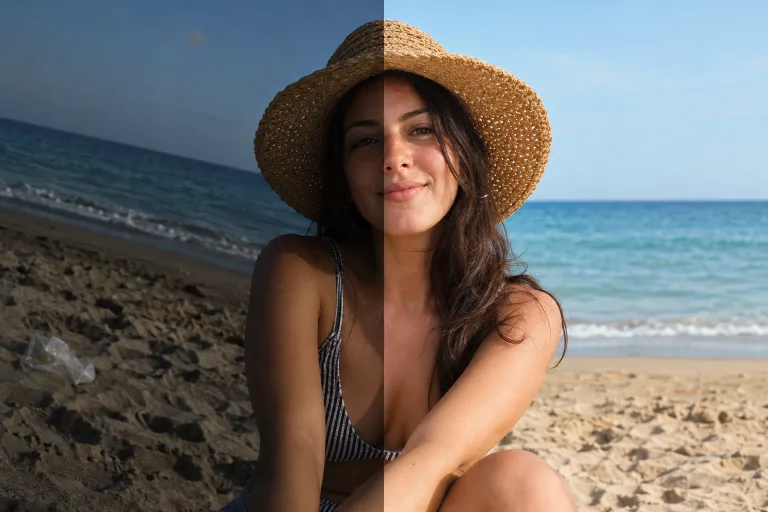
How to use AI Photo Editor
Upload the photo to edit
Add the photo under Your image. Use the original file rather than a screenshot or a messenger copy. Make sure the area you want changed is clearly visible. JPG, PNG or WebP up to 10 MB.
Describe one change and what stays
In "Describe the change", write the edit and name what must stay as it is. For example: "replace the gray sky with a sunset, keep the people and buildings unchanged". One clear change per run works better than a long list.
Start from a preset if it fits
The chips under Style preset load a full instruction for common jobs. Examples are a new sky, a cleaner background or a warm film look. A chip replaces the text in the box, so click it first and add your own details after.
Compare with the original
Press "Edit photo" and check edges around hair and hands, faces and anything you asked to keep. If something you did not mention has changed, name it in the instruction as something to keep. Then run it again. If the edit looks painted, try another option under Model.
What a real job costs here
The cheapest model on this page charges 14 credits and the most expensive 38 credits. At the best pack rate that is about $0.1490 up to $0.4044.
| Pack | Credits | Runs with GPT Image 2 (medium) |
|---|---|---|
| $9 | 750 | 53 |
| $19 | 1,650 | 117 |
| $39 | 3,500 | 250 |
| $79 | 7,300 | 521 |
| $149 | 14,000 | 1,000 |
Choosing between the models on this page
GPT Image 2 (medium): Posters, menus, interfaces and any image with readable text. Typography that stays readable at small sizes. Watch out for: not the most photoreal option.
FLUX 2 [max]: Everyday photoreal image generation and iteration. Photorealistic default. Watch out for: text rendering is weaker than GPT Image 2.
GPT Image 2.5: Edits and product shots where the subject must stay recognizable. Sharper detail and more natural light. Watch out for: small, dense text can still break.
Nano Banana Pro: Hero images where realism decides the result. Photoreal skin and texture. Watch out for: higher rate than everyday image models.
Editing with words instead of tools
Classic editors make you find the right brush. Here the instruction is the tool. Write what should change: remove a person, swap the sky, fix the light, clean a background. The model redraws the photo with that change. It keeps the rest as close to the original as it can. The result keeps the photo's orientation in the closest supported shape.
Which model to pick
GPT Image 2 (medium) follows instructions literally and keeps text readable, though it is not the most photoreal option. FLUX 2 [max] is the everyday photoreal choice and good value. Nano Banana Pro gives the most photoreal skin and texture at a higher rate.
From one edit to a finished asset
Every result can go straight to the next step. Upscale it to print size, cut the background for a store listing, or animate it into a short clip. One click, same workspace.
Frequently asked questions
Do I need editing skills?
No. If you can describe the change in a sentence, the editor can attempt it. Iterating twice with a clearer instruction usually beats one long prompt.
Will the rest of my photo stay untouched?
The model is instructed to preserve everything you did not mention. For surgical edits, name what must stay the same - e.g. "keep the face and clothing unchanged".
What does an edit cost?
The price per edit is shown above the button before you run it. From 14 credits with GPT Image 2.
Which models can I pick here?
Four, each with its rate under "Model". GPT Image 2 (medium) costs 14 credits per image and GPT Image 2.5 costs 19. FLUX 2 [max] costs 16 and Nano Banana Pro 38. Pick one before you run the edit.
