Pick a model
Genjutsu: motion transfer and character swap NEW
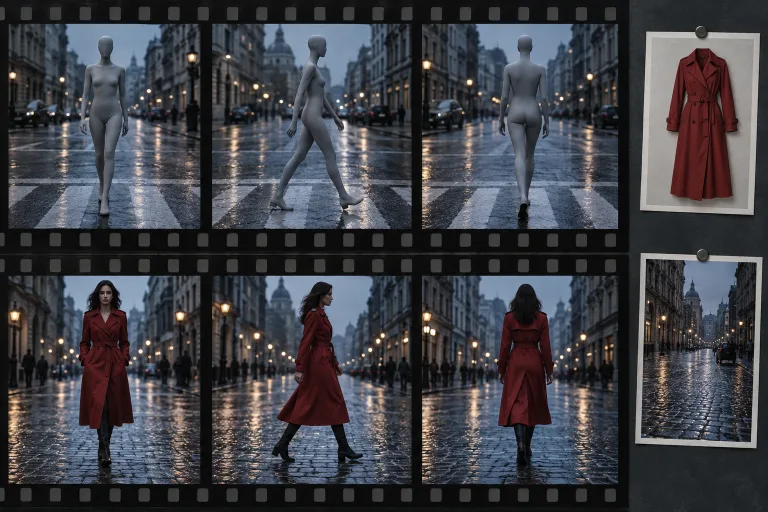
Upload a video and up to eight images. The movement, camera and timing stay. The character, outfit, product, place or style comes from your images.
Why creators pick UGESI
You pay for each second of your source clip, from 41 credits per second at 480p.
How to use Video to Video AI
Upload the source clip
Under "Source clip (the movement)", add the clip whose motion, camera work and timing should stay. The main subject should be easy to see. MP4, MOV or WebM, 4 to 30 seconds, up to 100 MB. Shorter clips are rejected. Longer ones are cut to 30 seconds, and the result matches the part used.
Add one to eight reference images
Under "Reference images", upload what should appear instead: a character, an outfit, a product, a place or a style. Use one clear, well-lit subject per image (JPG, PNG or WebP). Then check the consent box: everyone shown must have agreed.
Say what changes, pick a resolution
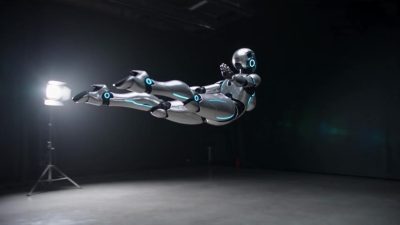
"What to change (optional)" can stay empty: motion, camera and timing stay, the rest comes from your images. Write a note to say exactly what changes and what stays. For example: "replace the dancer with the robot, keep the stage". Test at 480p or 720p under "Resolution", then use 1080p for the final.
Check the new subject in motion
Press "Generate the new clip" and follow the new subject through turns and fast moves. Does it keep the look from your images? If it drifts or parts of the old subject remain, use clearer images with one subject each. Then name in the note what must change.
What a real job costs here
Runs on this page cost 205 credits per second. At the best pack rate that is about $2.1818 per second. A 6-second clip costs 1230 credits, roughly $13.09.
| Pack | Credits | Seconds with Genjutsu |
|---|---|---|
| $9 | 750 | 3 |
| $19 | 1,650 | 8 |
| $39 | 3,500 | 17 |
| $79 | 7,300 | 35 |
| $149 | 14,000 | 68 |
What this model is good at and where it stops
Genjutsu: Recasting a clip you already have: same movement, new character, product or setting. Keeps the motion, camera and timing of your clip. Watch out for: source clip must be at least 4 seconds.
Genjutsu: one model, several kinds of edit
Genjutsu keeps the motion, camera and timing of your clip. Your reference images decide the new character, outfit, product, place or style. Up to eight images go into one run.
When to use something else
Have one photo of a character and want it to copy a dance or a gesture? Use Motion Control. Want a new clip from a text prompt? Use the AI video generator.
Frequently asked questions
What is video to video AI?
A model that takes your clip as the base. The movement, camera work and timing stay. The people, objects, place or style change to match your reference images.
Is it the same as motion transfer?
Motion transfer is one use of it. The same run can also swap a character, an outfit or a product, move the scene to a new place or redraw it in a new style.
How long can my clip be?
From 4 to 30 seconds. Longer clips are cut to 30 seconds, and you pay only for the part that is used.
What does it cost?
Genjutsu costs 41 credits per second at 480p, 87 credits at 720p and 205 credits at 1080p. The total shows once the clip is uploaded, before you start.
