Pick a model
GPT Image 2.5 AI Image Generator NEW
OpenAI's September 2026 image model, for pictures and edits where the subject has to stay recognizable.

Grok Imagine Image 2 AI Image Generator NEW
xAI's image model for punchy graphics, concepts and quick edits at a low rate per image.
GPT Image 2 AI Image Generator
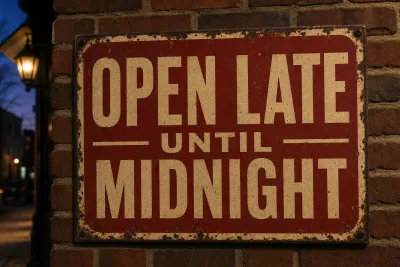
OpenAI's image model for pictures with readable text and prompts that must be followed to the letter.
Seedream 5.0 AI Image Generator
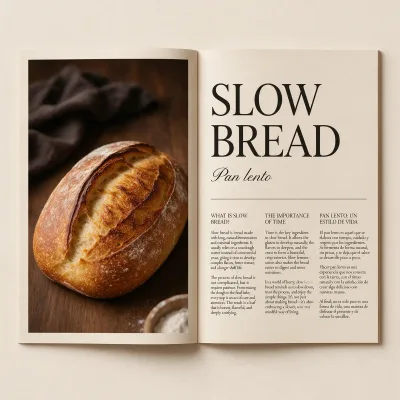
ByteDance's layout planner: dense infographics, posters and on-image text - 14 credits per image.
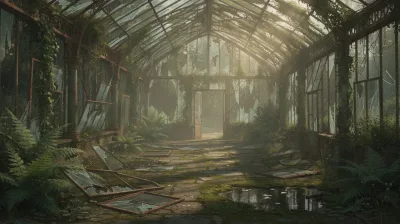
FLUX 2 AI Image Generator
Black Forest Labs' top FLUX 2 tier for photoreal products, people and interiors.
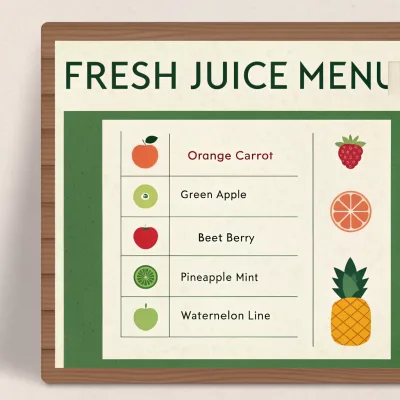
Recraft V3 AI Image Generator
Recraft's design model for logos, posters, icons and text-heavy graphics.
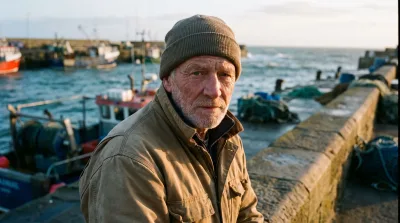
Nano Banana Pro AI Image Generator
Google's top image model for photoreal people, products and scenes, rendered at 2K.
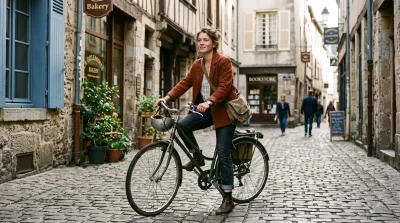
Nano Banana 2 AI Image Generator
Google's fast image model for photoreal pictures at 2K, at a lower rate than Nano Banana Pro.
FLUX schnell AI Image Generator
Black Forest Labs' fastest FLUX model for drafts, thumbnails and prompt tests - 1 credit per image.
Why creators pick UGESI
Iterate for pennies on FLUX schnell, ship finals on GPT Image 2 or Nano Banana Pro. Every rate is public and the exact cost shows before you generate.
How to use AI Image Generator
Pick the model for the job
Open the model card that fits. Pick GPT Image 2 for readable text and literal instructions, or Nano Banana Pro for photoreal skin and texture. Recraft V3 is for logos and text graphics, and FLUX schnell for fast drafts and tests.
Describe the image
In "Describe what you want", name the subject, setting, light and style. For example: "a ceramic mug on a walnut desk, soft morning window light, 50mm". Spell out any text the image must show. Picking a Style preset fills the box with a full example to edit.
Choose a format if offered
Some models show Format: pick the shape for where the image will go. For example, square suits a feed post and vertical suits a story. The ratios on offer differ by model, and some models have no Format choice.
Generate, then refine
Press "Generate image" and check spelling, hands and small details. No model is fully reliable with long text or exact finger counts. Change one thing per run, such as the light or the framing. If text or realism keeps failing, try another model card.
What a real job costs here
The cheapest model on this page charges 1 credit and the most expensive 38 credits. At the best pack rate that is about $0.0106 up to $0.4044.
| Pack | Credits | Runs with Seedream 5.0 Pro |
|---|---|---|
| $9 | 750 | 53 |
| $19 | 1,650 | 117 |
| $39 | 3,500 | 250 |
| $79 | 7,300 | 521 |
| $149 | 14,000 | 1,000 |
Choosing between the models on this page
FLUX 2 [max]: Everyday photoreal image generation and iteration. Photorealistic default. Watch out for: text rendering is weaker than GPT Image 2.
GPT Image 2 (medium): Posters, menus, interfaces and any image with readable text. Typography that stays readable at small sizes. Watch out for: not the most photoreal option.
GPT Image 2.5: Edits and product shots where the subject must stay recognizable. Sharper detail and more natural light. Watch out for: small, dense text can still break.
Nano Banana Pro: Hero images where realism decides the result. Photoreal skin and texture. Watch out for: higher rate than everyday image models.
Nano Banana 2: Volume image work that still needs to look real. Fast photoreal output. Watch out for: less fine texture than Pro.
Grok Imagine Image 2: Fast concepts, logos and social graphics where a low rate matters. 2K images at a low rate. Watch out for: edits take one input image.
Seedream 5.0 Pro: Design work, posters and multilingual layouts. Full layouts in 15 languages. Watch out for: not the top choice for photoreal skin.
Recraft V3: Logos, posters and text graphics. Strong on long in-image text. Watch out for: availability depends on the current catalog.
FLUX schnell: Thumbnails, tests and high-volume drafting. Lowest image rate here. Watch out for: lower detail than FLUX 2.
Which image model to pick, by the job
Text inside the image, like posters and labels: GPT Image 2 at 14 credits. Photoreal people and products: Nano Banana Pro at 38. Fast drafts and volume: FLUX schnell at 1. Design work, posters and multilingual layouts: Seedream 5.0 Pro at 14.
What the rates mean in practice
The $39 pack holds 3,500 credits. That is roughly 92 Nano Banana Pro images or 3,500 FLUX drafts. Draft cheap, then spend on the keeper.
Why one balance for every model matters
Most services lock you into one model per plan. Here the same credits run all of them. Test three models on one prompt and pay only for what you generate.
What the newer models changed
Nano Banana Pro renders at 2K by default. GPT Image 2 still leads on text rendering. Rates on this page track new releases.
Honest limits
No model reliably counts fingers, renders long paragraphs, or keeps the same face across many images without a reference. For consistent characters use the character tool, which is built for that.
Frequently asked questions
Can it generate an image from an image?
Yes. Open image to image and upload a source. The model keeps your composition and regenerates the rest.
Can Claude or ChatGPT generate images?
ChatGPT can, through OpenAI's image model. Claude writes and refines prompts but does not render images itself. Here you pick from many image models and see the price first.
