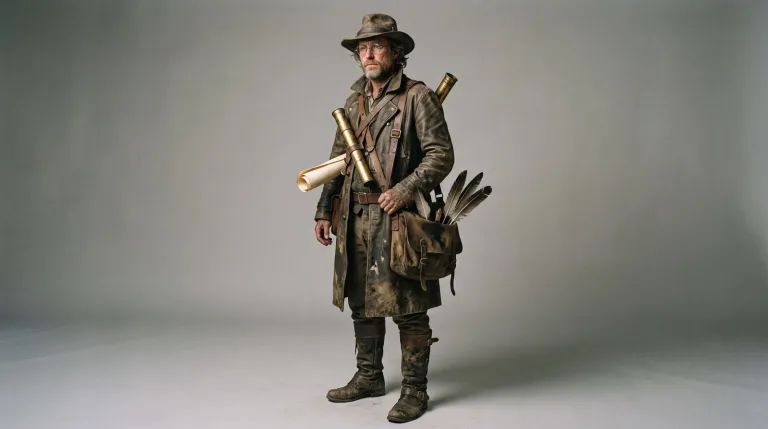
How to use AI Character Generator
Add an optional reference image
The Reference image (keeps identity) field is optional: leave it empty for a brand-new character. For more images of a character you already made, upload your best earlier render, ideally a sharp front-facing close-up. JPG, PNG or WebP up to 10 MB.
Pick a style before you write
Choose Realistic photo, Cinematic, Anime, 3D render or Comic under Style preset. A preset replaces everything in the text box, so click it first. Or skip it and name the style in your own description.
Write one reusable description
In "Describe your character", give age, face, hair, outfit and three signature details, e.g. "40-year-old lighthouse keeper, gray beard, yellow raincoat, scar over one eyebrow". Save that paragraph and reuse it word for word.
Judge the face on a close-up
Press "Generate character" and judge the face on a close-up, not a full-body shot. If later images drift, keep the paragraph identical and attach your best result as the reference. Then change one thing per run. If only the style is off, try another Model.
What a real job costs here
The cheapest model on this page charges 14 credits and the most expensive 38 credits. At the best pack rate that is about $0.1490 up to $0.4044.
| Pack | Credits | Runs with Nano Banana Pro |
|---|---|---|
| $9 | 750 | 19 |
| $19 | 1,650 | 43 |
| $39 | 3,500 | 92 |
| $79 | 7,300 | 192 |
| $149 | 14,000 | 368 |
Choosing between the models on this page
Seedream 5.0 Pro: Design work, posters and multilingual layouts. Full layouts in 15 languages. Watch out for: not the top choice for photoreal skin.
FLUX 2 [max]: Everyday photoreal image generation and iteration. Photorealistic default. Watch out for: text rendering is weaker than GPT Image 2.
Nano Banana Pro: Hero images where realism decides the result. Photoreal skin and texture. Watch out for: higher rate than everyday image models.
One paragraph rules the face
Consistent characters start as text: age, look, three signature details, wardrobe, five words of personality. Generate from exactly that paragraph every time and the face drifts far less; add a reference image to lock it. Change the paragraph and it drifts more.
References anchor identity
Upload your best previous render as the reference. The model treats it as ground truth for the face while you vary scene, outfit and framing. Judge identity on close-ups, not full-body shots.
A character is an asset
Download the image, then take it further: a portrait set, an image-to-video motion test or a 4x upscale. The buttons under the result open each tool with one click.
Frequently asked questions
How do I keep the same face across images?
Reuse the identical description word for word, and attach your best result as the reference image. Then change only one thing per generation.
Can I use the character in video?
Yes - send any render to image-to-video. Models like Seedance animate the still while preserving the look.
Anime or realistic?
Both - pick a style preset above the prompt. Or write the style into your canonical paragraph so it travels with the character.
