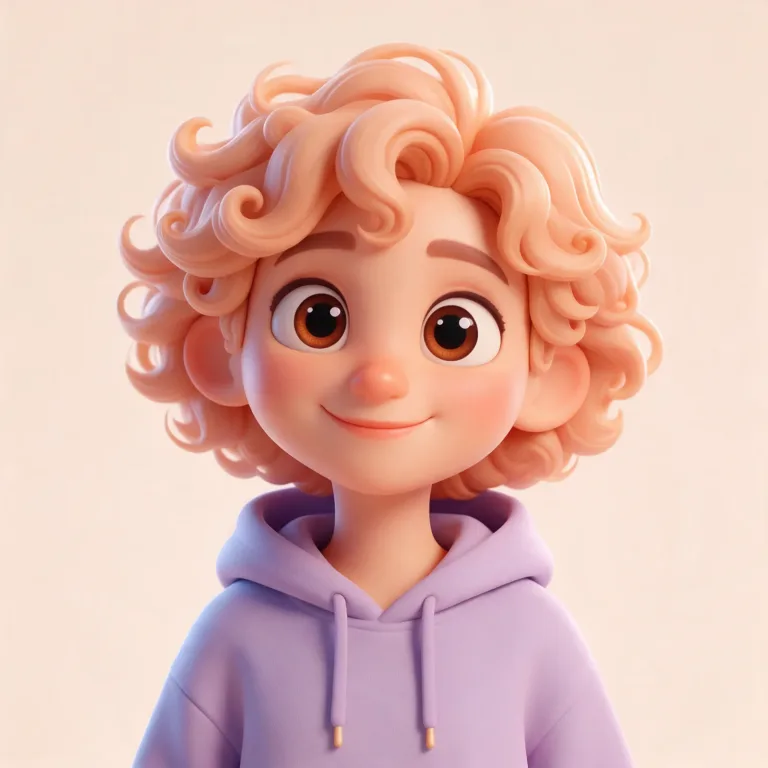
How to use AI Avatar Generator
Choose a style preset first
Click a "Style preset": "3D cartoon", "Anime", "Pixel art", "Vector" or "Cyberpunk". It writes a full avatar description into the text box and replaces anything already there. Pick the preset before you edit.
Describe one memorable look
In "Describe your avatar", change the subject to yours: hair, glasses, one standout item and two colors. For example: "curly red hair, round glasses, green hoodie, plain cream background". There is no photo upload here, so the likeness comes only from these words.
Check it at profile size
Press "Generate avatar" and view the result at thumbnail size, the way it shows next to a name. If it turns muddy, drop details and keep the background plain. If it does not look like the person, put the most distinctive feature first in the text.
What a real job costs here
The cheapest model on this page charges 1 credit and the most expensive 16 credits. At the best pack rate that is about $0.0106 up to $0.1703.
| Pack | Credits | Runs with Seedream 5.0 Pro |
|---|---|---|
| $9 | 750 | 53 |
| $19 | 1,650 | 117 |
| $39 | 3,500 | 250 |
| $79 | 7,300 | 521 |
| $149 | 14,000 | 1,000 |
Choosing between the models on this page
FLUX schnell: Thumbnails, tests and high-volume drafting. Lowest image rate here. Watch out for: lower detail than FLUX 2.
Seedream 5.0 Pro: Design work, posters and multilingual layouts. Full layouts in 15 languages. Watch out for: not the top choice for photoreal skin.
FLUX 2 [max]: Everyday photoreal image generation and iteration. Photorealistic default. Watch out for: text rendering is weaker than GPT Image 2.
Style first, subject second
Avatars live at 100 pixels: what survives is silhouette, palette and style. Pick the style preset first. Then describe a subject with one memorable feature (headphones, a scarf, a cat ear) and two brand colors.
Consistency across a team
One prompt template plus different names for the subject gives a matching set: same style, same palette, different characters. Keep the template and the whole team stays on-brand.
Where it goes next
Remove the background for a transparent PNG, upscale for merch, or animate a subtle loop for stream overlays. Each is one click from the result.
Frequently asked questions
What size is the avatar?
Square output ready for profile crops. Run the 4x upscale for print or merch.
Can it match my brand colors?
Yes - name them in the prompt (brand colors: #1B4DFF and cream) and the preset carries the style.
Anime and pixel too?
Both are presets. Vector, 3D cartoon and cyberpunk round out the set. The style comes from the preset text, whichever model you pick under "Model".
Is there an online avatar generator?
This is it. Generation runs on our servers, so there is nothing to install. The square output is ready for profile crops.
How do I create a Bitmoji-style avatar?
Pick the 3D cartoon preset and describe yourself. You get a square avatar in that style without installing anything.
