How to use Image to Prompt
Upload the reference image
Add the picture you want described under Your image: JPG, PNG or WebP up to 10 MB. Use the full, uncropped version. Anything visible, including watermarks or interface elements in a screenshot, can end up in the prompt.
Add a focus if needed
"Anything to emphasize? (optional)" can stay empty for a full description of subject, style, light, composition and camera. Fill it when one aspect matters most, e.g. "focus on the color palette and film grain". Then press "Analyze image".
Reuse and edit the prompt
Copy the result, or send it on with Generate this, Create variations or Animate this. Exact identities and tiny text are summarized, not named, so add those yourself. To borrow a style, keep the style words and swap the subject.
What a real job costs here
Runs on this page cost 2 credits. At the best pack rate that is about $0.0213.
| Pack | Credits | Runs with Image → Prompt |
|---|---|---|
| $9 | 750 | 375 |
| $19 | 1,650 | 825 |
| $39 | 3,500 | 1,750 |
| $79 | 7,300 | 3,650 |
| $149 | 14,000 | 7,000 |
What this model is good at and where it stops
Image → Prompt
Reverse-engineering a picture
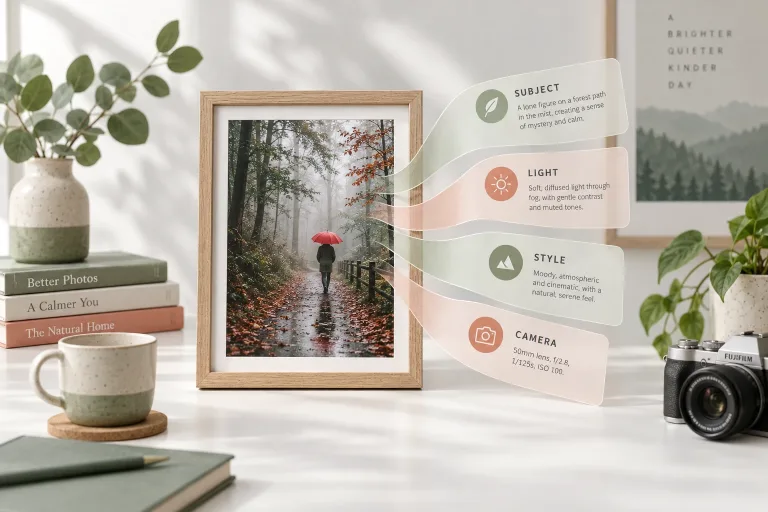
The vision model reads the image the way a prompt-writer would. What is the subject, what style is this, where does the light come from? How is it framed, what lens look is at play? Then it writes it as one dense, reusable prompt.
Why prompts beat guessing
A borrowed aesthetic is faster than a described one. Analyze a reference you love, keep the style words, swap the subject. That is the quickest route to on-brief generations.
From words back to pixels
Generate this sends the prompt straight into the image generator. Create variations opens image-to-image with your reference. Animate this hands it to video. Zero copy-paste.
What a run costs here
2 credits per image. The exact total sits above the button before you generate.
Frequently asked questions
What images can I analyze?
Photos, renders, artwork, screenshots - anything visual. Rights to the analyzed image remain with its owner. Use references you may use.
How accurate is the prompt?
It captures style, light and composition very reliably. Exact identities and tiny text are summarized, not named.
What does it cost?
2 credits per analysis - the cheapest step in the workflow, designed to be run often.
Can it write a ChatGPT photo prompt?
Yes. The prompt it writes is plain text, so it runs in ChatGPT, Midjourney or here. Copy it wherever you need it.
