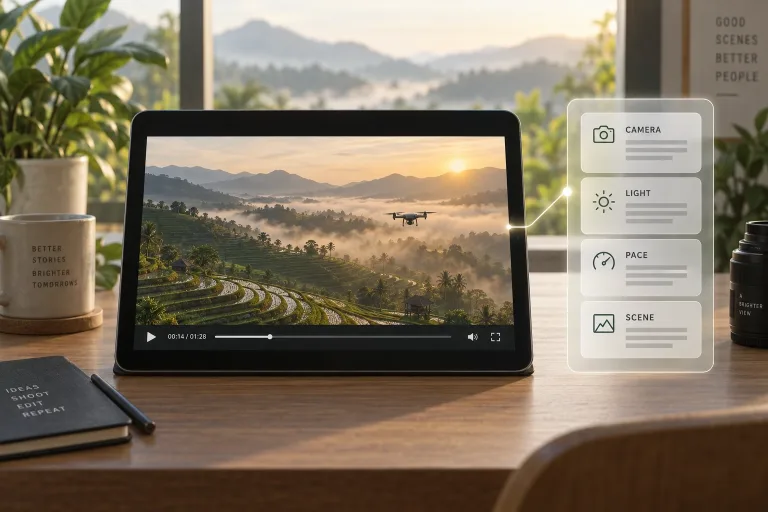
How to use Video to Prompt
Upload a clip up to 30 seconds
Add the clip under "Your video": MP4, MOV or WebM, up to 100 MB. It must be 30 seconds or shorter. A longer file is turned away, so trim it first. Keep just the shot you want to recreate, because one shot gives a cleaner prompt than a montage.
Add a focus if needed
"Anything to emphasize? (optional)" can stay empty for a complete description. Fill it in when one aspect matters most, e.g. "focus on the lighting and the color of the sky".
Analyze and check the prompt
Press "Analyze video" and compare the text with the clip. Subject, setting, camera move, light and pacing should all be there. It describes what is seen and how it is shot, not what people say. If a detail is wrong or missing, run it again with that detail as the focus.
Reuse the prompt
Copy the text, or use the buttons under the result to open it in the video generator. Run a short test there and compare it with your clip. Adjust the words for whatever differs instead of starting over.
What a real job costs here
Runs on this page cost 11 credits. At the best pack rate that is about $0.1171.
| Pack | Credits | Runs with Video → Prompt |
|---|---|---|
| $9 | 750 | 68 |
| $19 | 1,650 | 150 |
| $39 | 3,500 | 318 |
| $79 | 7,300 | 663 |
| $149 | 14,000 | 1,272 |
What this model is good at and where it stops
Video → Prompt
What the analyzer watches for
Video prompts live or die on cinematography. The model names the shot type, the camera move, the light and the pacing. Text-to-video engines reward exactly that vocabulary. The model then folds them into one runnable prompt.
Learn the dialect of each model
The same clip described well runs on any engine. Push the prompt to Veo 3.1 for dialogue-grade masters, Kling 3.0 for physical motion, Seedance for synced audio. One analysis, three experiments.
Build a personal shot library
Analyze the clips you admire and keep the prompts. A folder of proven camera-and-light recipes is the fastest way to make new footage feel intentional.
What a run costs here
11 credits per video. The exact total sits above the button before you generate.
Frequently asked questions
How long can the clip be?
Up to 30 seconds. A longer file is turned away before any credits are taken, so trim it first. The first seconds carry most of the signal, so trims analyze fine.
Does it transcribe dialogue?
It describes what is seen and how it is shot. It is a cinematography analyzer, not a transcription service.
Which model should recreate it?
Match the strength: dialogue - Veo 3.1. Physical action - Kling 3.0. Synced sound design - Seedance. The buttons under the result take you straight there.
How many credits does describing one video clip take?
11 credits per video. The exact total appears above the button before you generate.
