How to use Prompt Enhancer
Choose the type before writing
The chips under Style preset are image, video, product, ad, cinematic and portrait. Each loads a full instruction with a sample idea in it. A chip replaces the text in the box, so click it first. Then swap the sample idea for yours.
Write your rough idea
In Your idea, write the subject and where the prompt will be used, plus anything that must not change. For example: "bakery storefront at dawn, for a vertical video, keep the red awning". A short line is enough.
Check what was added
Press "Enhance prompt" and check that the result kept your subject. Make sure it did not add details you do not want, such as another setting or style. If it drifted, put the missing detail into your idea and run again. Then copy the prompt into your generator.
What a real job costs here
Runs on this page cost 1 credit. At the best pack rate that is about $0.0106.
| Pack | Credits | Runs with Prompt Enhancer |
|---|---|---|
| $9 | 750 | 750 |
| $19 | 1,650 | 1,650 |
| $39 | 3,500 | 3,500 |
| $79 | 7,300 | 7,300 |
| $149 | 14,000 | 14,000 |
What this model is good at and where it stops
Prompt Enhancer
From idea to instruction
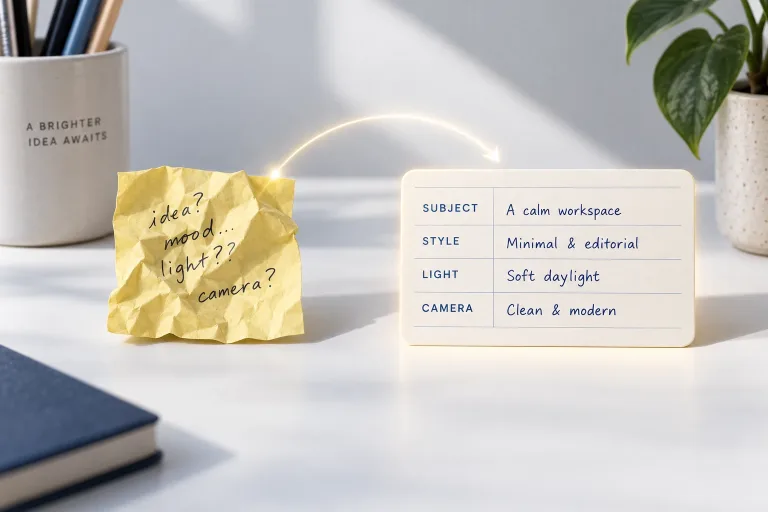
"Cozy coffee shop ad" is a thought, not an instruction. The enhancer expands it into the structure generators reward: concrete subject, visual style, light, composition and mood.
Presets are sample instructions
Each Style preset (image, video, product, ad, cinematic, portrait) replaces the box with a complete instruction. It is built around a sample idea, so pick one first, then swap the sample for your idea. Image leans on stills language. Video adds camera moves and pacing. Product and ad bring packshot and campaign vocabulary. Cinematic and portrait push lens and light.
One credit, many runs
At 1 credit the enhancer is cheap enough to run again and again: enhance, tweak one word, enhance again. When the prompt reads right, the buttons below run it on an image or video engine directly.
What a run costs here
1 credit per run. The exact total sits above the button before you generate.
Frequently asked questions
Does a longer prompt always win?
No - a structured one does. The enhancer keeps it dense and ordered rather than long.
Can I edit the result?
Yes - copy it anywhere, or click through to a generator where it arrives pre-filled and editable.
What is the difference from the AI prompt generator?
Same engine, different entry: the enhancer improves your draft. The generator starts from a goal.
What does sharpening one draft prompt cost?
1 credit per run. The exact total appears above the button before you generate.
