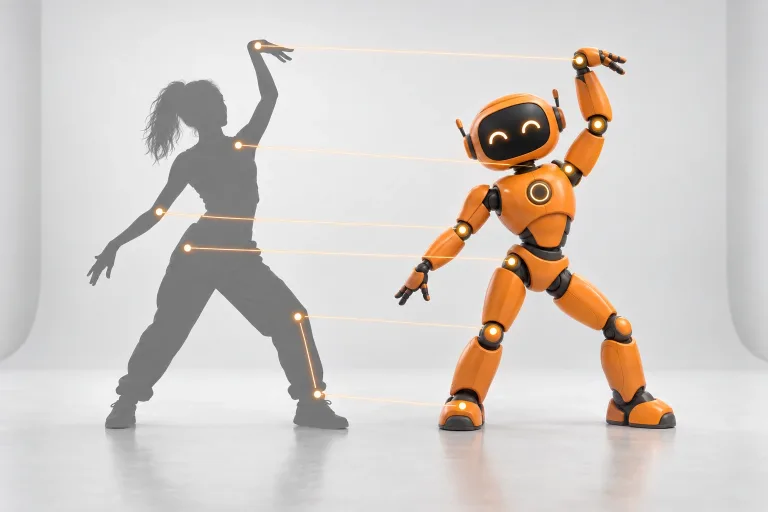
How to use Motion Control
Upload a full-body character photo
Under "Character photo", add one person or character seen from head to feet. Nothing should cover the arms or legs. A plain background and even light help, while a head-and-shoulders crop makes the model guess the body.
Add a clear motion clip
Under "Motion clip (the move to copy)", upload a clip with one performer and a steady camera. Keep the whole move inside the frame. Clips under 3 seconds are rejected, and longer ones are cut to 30 seconds. The result runs as long as the clip.
Confirm consent, add a note if needed
Check the consent box: everyone shown must have agreed to the edit. "Notes for the move (optional)" can stay empty: the move is copied and the rest comes from the photo. Write a note only when something must not change, e.g. "keep the jacket closed". You can also start from a chip under "Common moves".
Pick a resolution, then check the hands
Choose 720p or 1080p under "Resolution" and press "Copy the motion". Watch the hands, feet and face in the fastest part: very fast or hidden movement can blur. If it does, a clip with slower moves and visible hands helps more than a longer note.
What a real job costs here
Runs on this page cost 27 credits per second. At the best pack rate that is about $0.2874 per second. A 6-second clip costs 162 credits, roughly $1.72.
| Pack | Credits | Seconds with Kling 3.0 Motion Control |
|---|---|---|
| $9 | 750 | 27 |
| $19 | 1,650 | 61 |
| $39 | 3,500 | 129 |
| $79 | 7,300 | 270 |
| $149 | 14,000 | 518 |
What this model is good at and where it stops
Kling 3.0 Motion Control: Making a character from one photo perform a move recorded in another video. Copies body movement and gestures from a reference video. Watch out for: reference video must run 3 to 30 seconds.
What motion control does
Motion control takes the movement out of one video and gives it to the character in a photo. The clip supplies the body motion, the gestures and the timing. The photo supplies the face, the body, the outfit and the colors. The result is your character doing the move, frame by frame.
Pick a photo that shows the whole body
The model needs to see what it is moving. Use a photo where the head, arms and legs are visible and nothing covers the body. A plain background and even light help. If the clip shows a full-body dance, a cropped head-and-shoulders photo makes the model guess the rest. Those guesses show.
Pick a clip with one clear performer
The best motion clips have one person, a steady camera and movement that stays inside the frame. Fast spins, crowds and hands hidden behind the body are where results blur. The clip can run from 3 to 30 seconds, and the result is as long as the clip.
Motion control or motion transfer?
Use motion control when you have one character photo and want it to perform a move from another video. Use motion transfer when you want to keep a whole clip, camera work included. It changes the character, the outfit, the product or the place with up to eight reference images. Both tools run on the same balance.
How the price is counted
You pay for each second of the motion clip, at the resolution you pick. Partial seconds round up to a whole second. The total shows as soon as the clip is uploaded, before you start.
Use photos and clips you have the right to use
Animate characters you created, people who agreed to it, and clips you filmed or licensed. Do not make a real person appear to do something they did not do. Label AI-generated videos as such when you publish them. The consent box under the uploads is required for every run.
Frequently asked questions
How long can the motion clip be?
From 3 to 30 seconds. A longer clip is cut to 30 seconds and you pay only for those 30. A clip under 3 seconds is rejected before any credits are taken.
Does the character keep its face and outfit?
Yes, the look comes from your photo. Results are best when the photo shows the full body in clear light. The model cannot keep details it cannot see.
Can I use a cartoon or a mascot instead of a person?
Yes. Any character with a head, arms and legs in roughly human proportions works. Very different body shapes, such as animals on four legs, give weaker results.
Do I have to write a prompt?
No. Without a note, the character copies the movement and keeps everything else from the photo. A short note helps when something must not change, for example "keep the jacket closed".
What is the difference from motion transfer?
Motion control moves one character from one photo. Motion transfer keeps a whole clip, including the camera work. It swaps the character, outfit, product or place using up to eight images.
Which model runs this tool?
Kling 3.0 Motion Control from Kuaishou. Its model page lists the specs and limits.
