How to use Image to Image
Upload the source image
Add it under Your image: JPG, PNG or WebP up to 10 MB. Composition, pose and layout come from this picture, so pick one with clear subjects and a readable layout. Very small or noisy images are worth upscaling 4× first.
Say what stays and what changes
In "Describe the new image", name both, e.g. "same pose and framing, as a 1970s film still". A Style preset such as Night version or Change the season puts a ready, editable brief in the box.
Pick a model
Choose one under Model. The models differ: one is the photoreal default, and one is strong on design and layouts. Another follows unusual instructions most literally. If a result drifts, try the same brief on another model before rewriting it.
Change one thing per run
Press "Transform" and compare the result with the source. If it strays too far, state more clearly what to keep. If it barely changed, describe the new style more strongly. Vary one instruction per run: that gets you to the right version fastest.
What a real job costs here
The cheapest model on this page charges 14 credits and the most expensive 19 credits. At the best pack rate that is about $0.1490 up to $0.2022.
| Pack | Credits | Runs with FLUX 2 [max] |
|---|---|---|
| $9 | 750 | 46 |
| $19 | 1,650 | 103 |
| $39 | 3,500 | 218 |
| $79 | 7,300 | 456 |
| $149 | 14,000 | 875 |
Choosing between the models on this page
GPT Image 2 (medium): Posters, menus, interfaces and any image with readable text. Typography that stays readable at small sizes. Watch out for: not the most photoreal option.
Seedream 5.0 Pro: Design work, posters and multilingual layouts. Full layouts in 15 languages. Watch out for: not the top choice for photoreal skin.
FLUX 2 [max]: Everyday photoreal image generation and iteration. Photorealistic default. Watch out for: text rendering is weaker than GPT Image 2.
GPT Image 2.5: Edits and product shots where the subject must stay recognizable. Sharper detail and more natural light. Watch out for: small, dense text can still break.
Structure in, new picture out
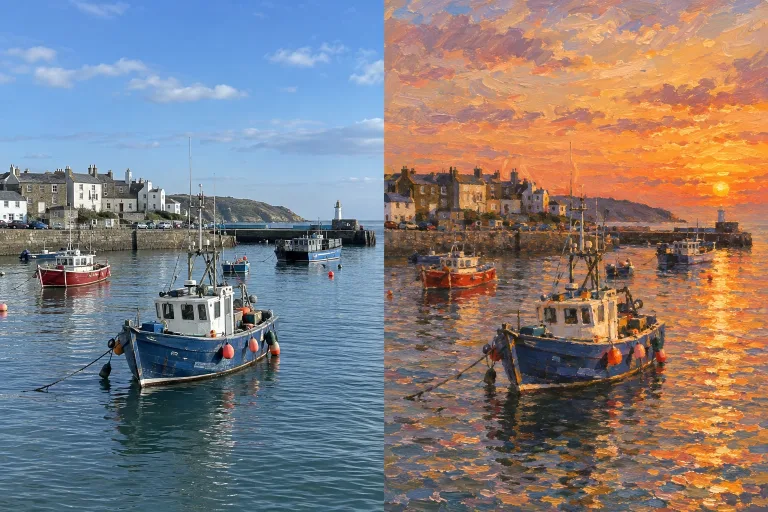
Image-to-image treats your upload as the skeleton. The model reads composition and pose, then redraws the picture in the style you describe. Photo to illustration, sketch to render, day to night. The result keeps the source's orientation in the closest supported shape, not always its exact size.
Say what survives
The strongest prompts name both directions. What to keep (same pose, same framing) and what to change (as a 1970s film still). One changed variable per run converges fastest.
Three engines, three temperaments
FLUX 2 [max] is the photoreal default. Seedream 5.0 Pro is strong on design work, posters and layouts. GPT Image 2 (medium) follows unusual instructions most literally. Rates sit next to each model.
Frequently asked questions
Is this the same as editing?
Editing changes a region and preserves the rest. Image-to-image regenerates the whole frame guided by your source. Use it when you want a new picture, not a fix.
Can I run several variations?
Yes - each run is a fresh variation at the listed per-image rate. Keep the seed image and vary one instruction at a time.
What input works best?
Clear subjects and readable composition. Very small or very noisy images benefit from a 4x upscale first.
