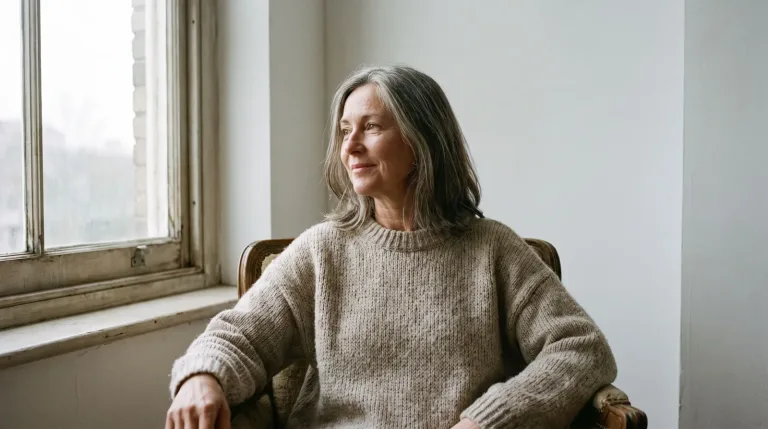
How to use AI Portrait Generator
Pick a light setup or skip it
The chips under Style preset load a full light and mood setup. Choose classic studio, window light, neon, painterly or editorial. A chip replaces the text in the box, so choose it first and then add the person.
Describe the person
In "Describe the person & vibe", give age, expression, clothing and background. For example: "woman in her 40s, short gray hair, calm half smile, navy turtleneck, plain gray backdrop". There is no photo upload here: the person is generated from your words.
Choose a model
Under Model, the options differ mainly in how photoreal skin and texture look. Keep one model while you refine the description. That way you can tell whether a change came from your words or from the model.
Check the face, change one thing
Press "Generate portrait" and check eyes, teeth, hands and skin texture. Change one thing per run, such as the light or the expression. If skin looks plastic, try another option under Model. Upscale the keeper for print.
What a real job costs here
The cheapest model on this page charges 14 credits and the most expensive 38 credits. At the best pack rate that is about $0.1490 up to $0.4044.
| Pack | Credits | Runs with Nano Banana Pro |
|---|---|---|
| $9 | 750 | 19 |
| $19 | 1,650 | 43 |
| $39 | 3,500 | 92 |
| $79 | 7,300 | 192 |
| $149 | 14,000 | 368 |
Choosing between the models on this page
Seedream 5.0 Pro: Design work, posters and multilingual layouts. Full layouts in 15 languages. Watch out for: not the top choice for photoreal skin.
GPT Image 2.5: Edits and product shots where the subject must stay recognizable. Sharper detail and more natural light. Watch out for: small, dense text can still break.
Nano Banana Pro: Hero images where realism decides the result. Photoreal skin and texture. Watch out for: higher rate than everyday image models.
Light is the portrait
The presets load five looks: Studio classic, Window light, Neon, Painterly and Editorial. A preset replaces the text in the box, so pick it first. Then spend your words on the person: age, expression, wardrobe, attitude.
Real faces, honest use
These are generated people. For a portrait of a real person, describe a lookalike character instead of using someone's likeness without consent. Label AI content where platforms require it.
From portrait to everywhere
The keeper rarely ends here. 4x upscale makes it print-ready. Background removal turns it into a clean profile cut-out, and image-to-video adds a subtle living-portrait motion.
Frequently asked questions
Which model is best for portraits?
Seedream 5.0 Pro is the lower-cost option. Nano Banana Pro is the ceiling for skin and light when the portrait is the hero asset. GPT Image 2.5 follows detailed styling notes closely.
Can I generate the same person again?
Use the character generator workflow: one canonical description reused verbatim, plus your best render as a reference.
What resolution do I get?
Native output up to 2K depending on the model. The upscaler takes any keeper to 4x for print.
What does a portrait cost here?
14 credits per image with Seedream 5.0 Pro, 38 with Nano Banana Pro. The exact total appears above the button before you generate.
