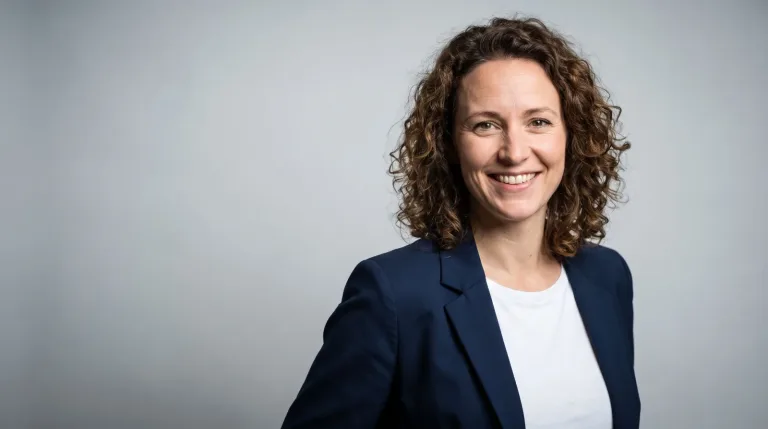
How to use AI Headshot Generator
Start from a style preset
Click a Style preset such as LinkedIn, Studio or Office first. It replaces the text in the box with a complete headshot prompt, sample person included. It also sets the lighting, backdrop and lens for you.
Swap in your person
In "Who is in the headshot?", replace the sample person with yours: role, age range, expression and clothing. For example: "architect in her 50s, warm smile, gray linen blazer". Keep the light and backdrop words from the preset.
Choose a model and generate
Under Model, pick one that is available. A model marked waiting cannot run yet. Then press "Generate headshot". The result is an invented person, not a photo of you. Say it is AI-generated where authenticity is expected.
Generate a set, keep the most natural
Run four to six versions, changing only the expression or the clothing. Keep the one that looks least posed. Check the eyes, teeth and collar first. If the skin looks waxy, add "realistic skin texture, no retouching" and run it again.
What a real job costs here
The cheapest model on this page charges 19 credits and the most expensive 38 credits. At the best pack rate that is about $0.2022 up to $0.4044.
| Pack | Credits | Runs with Nano Banana Pro |
|---|---|---|
| $9 | 750 | 19 |
| $19 | 1,650 | 43 |
| $39 | 3,500 | 92 |
| $79 | 7,300 | 192 |
| $149 | 14,000 | 368 |
Choosing between the models on this page
GPT Image 2.5: Edits and product shots where the subject must stay recognizable. Sharper detail and more natural light. Watch out for: small, dense text can still break.
Nano Banana Pro: Hero images where realism decides the result. Photoreal skin and texture. Watch out for: higher rate than everyday image models.
What makes a headshot read as professional
Tight crop at chest height, eyes on the upper third and one light source. Then a background that says office without shouting. Each preset sets that stage with a full prompt and a sample person. Pick the preset first, then swap the sample person for yours.
Generate a set, not a shot
Faces are judged in comparison. Run four to six variations changing only expression or wardrobe, then choose the one that looks least posed. That is the one people trust.
Honest use
A generated headshot is a stylized representation, not a photograph of you. Many professionals use them as consistent brand imagery. Where authenticity is expected, disclose that it is AI-generated.
Frequently asked questions
Can it make a headshot from my photo?
This page generates from text. To stylize your own photo, use the AI photo editor or the character workflow with your image as reference.
What background should I pick?
Studio gray is the safest for profiles. Office bokeh reads warmer for team pages.
How many should I generate?
Four to six. The per-image rate is flat, so a small comparison set costs less than one reshoot.
Which model runs this page?
Nano Banana Pro by default, at 38 credits per image. GPT Image 2.5, at 19 credits, is the other choice. The exact total appears above the button before you generate.
