How to use Pixel Art Generator
Start with a preset or from scratch
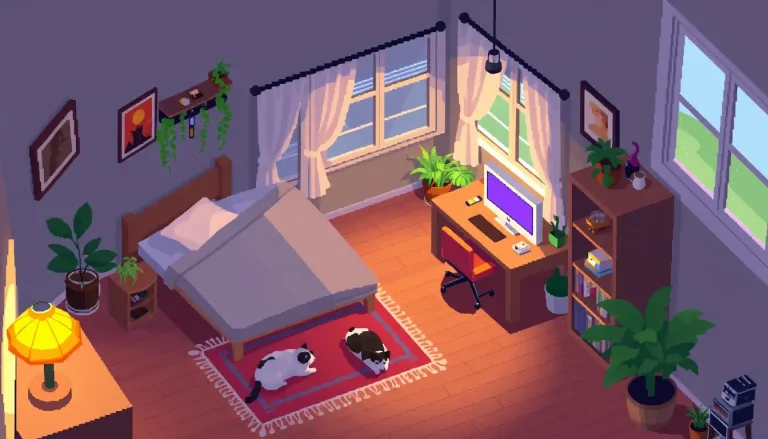
The chips under Style preset load complete prompts. Choose an RPG hero, a retro city, item icons, a cozy room or a forest tileset. A chip replaces the text in the box, so pick it first and then change the details.
Describe the subject, view and era
In "Describe the sprite or scene", name the subject, the view and the bit depth. For example: "wizard with a green hood, side view sprite, 16-bit, limited palette". Without a side or front view, the result is composed like an illustration. That is harder to use in a game.
Pick the format
Under Format, use Square 1:1 for single sprites and icons and Landscape 16:9 for scenes and backgrounds. Use Portrait 4:5 or Portrait 9:16 for tall scenes and phone screens.
Zoom in and tidy the pixels
Press "Generate pixel art" and zoom in: the pixel grid is not always even. If it looks too smooth, ask for 8-bit and fewer colors. Treat the result as a base to tidy in a pixel editor. Remove the background if you need transparency.
What a real job costs here
Runs on this page cost 1 credit. At the best pack rate that is about $0.0106.
| Pack | Credits | Runs with FLUX schnell |
|---|---|---|
| $9 | 750 | 750 |
| $19 | 1,650 | 1,650 |
| $39 | 3,500 | 3,500 |
| $79 | 7,300 | 7,300 |
| $149 | 14,000 | 14,000 |
What this model is good at and where it stops
FLUX schnell: Thumbnails, tests and high-volume drafting. Lowest image rate here. Watch out for: lower detail than FLUX 2.
Bit depth is the style
8-bit means few colors and chunky pixels. 16-bit allows shading and detail. There is no era setting, so write the era first in the text box, then describe the subject.
Sprites want a side or front view
Say "side view sprite" or "front-facing sprite". Without it the model composes like an illustration, which is harder to use in a game.
Clean it up before you ship
The image comes back on a plain background. Cut it for transparency, and expect to nudge a few pixels by hand. Generated pixel art is a strong start, not a final asset.
Frequently asked questions
Is the pixel grid perfect?
Not always. Treat the output as a base and tidy the grid in your pixel editor.
Can I use it in a commercial game?
Yes on paid packs, under the UGESI terms.
Why so cheap per image?
It runs on the fastest model in the catalog, which suits this style well.
What does FLUX schnell cost here?
1 credit per image. The exact total appears above the button before you generate.
