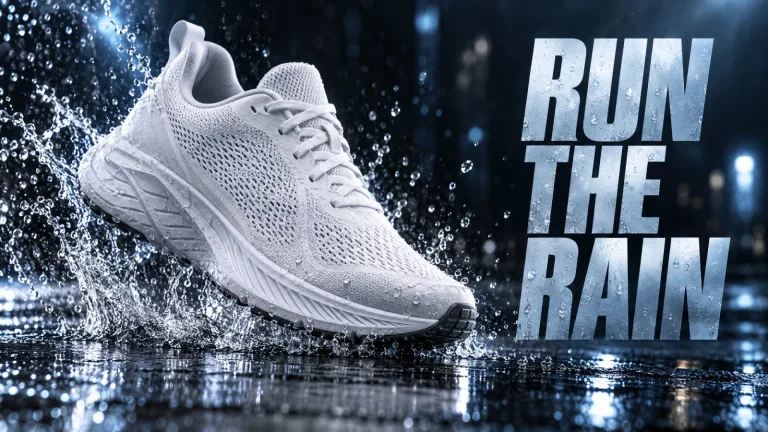
How to use AI Ad Generator
Add a product photo (optional)
Under "Your image (optional)", upload a sharp shot of the real product on a plain background. Keep the label facing the camera. JPG, PNG or WebP up to 10 MB. Without a photo the product is generated from your words, so it will not be your exact item.
Start from a preset, then describe
Pick a "Style preset" first. Layouts include "Product hero" and "Flat lay". Channel and niche presets include "Facebook feed ad" and "Real estate ad". The preset replaces the text in "Describe the ad". Then put in your product, setting, light and where the headline space goes. For example: "glass bottle on a gym bench, empty space at the top". Write any words that must appear in the image exactly.
Choose the Format
Under "Format", choose "Square 1:1" for feed posts, "Portrait 2:3" for vertical placements or "Landscape 3:2" for banners. These are the only shapes on offer. The shape comes from this setting, not from the text, so match it to the preset you picked.
Check product, space and spelling
Press "Generate ad" and check that the product matches yours. The copy space should be clear and any text spelled right. If the product drifts, upload a sharper photo with the label in view. If a word comes out wrong, shorten the text in the image and run it again.
What a real job costs here
The cheapest model on this page charges 14 credits and the most expensive 19 credits. At the best pack rate that is about $0.1490 up to $0.2022.
| Pack | Credits | Runs with GPT Image 2 (medium) |
|---|---|---|
| $9 | 750 | 53 |
| $19 | 1,650 | 117 |
| $39 | 3,500 | 250 |
| $79 | 7,300 | 521 |
| $149 | 14,000 | 1,000 |
Choosing between the models on this page
GPT Image 2 (medium): Posters, menus, interfaces and any image with readable text. Typography that stays readable at small sizes. Watch out for: not the most photoreal option.
GPT Image 2.5: Edits and product shots where the subject must stay recognizable. Sharper detail and more natural light. Watch out for: small, dense text can still break.
Most generated ads fail on layout
The image looks fine until you add the headline and it lands on the product. These presets leave the space where copy goes.
Test five, ship one
Paid social rewards volume of variants, not perfection in one. Generate the whole set, run them, keep what converts.
Then move it
Send the winner to "Animate the ad" to turn it into a short clip for the feed. Write the copy in the article generator without leaving.
Facebook and Instagram formats
Facebook feed ad is square, a shape that works in both the Facebook and Instagram feeds. Instagram story ad is laid out for a story. Stories are 9:16, but the tallest shape here is Portrait 2:3. The preset therefore keeps the product in the middle and the top and bottom plain. Extend the frame or add a background in your editor before you upload. For a true 9:16 frame, the AI Video Ad Generator has Portrait 9:16.
Clothing, car and real estate ads
Clothing ad, Car ad and Real estate ad are written for your photo. The garment, the car or the property from the upload goes into an ad scene. Without an upload the model invents one, which is fine for a mock-up and wrong for a real listing. The image is redrawn, so compare it with the real thing. Check prints and colors on clothes, wheels and badges on cars, and every window and room of a property. A picture like this does not show how a garment fits or how big a room is.
Frequently asked questions
Do I need a product photo?
No, but it helps. With an upload the real product appears. Without one the scene is generated.
Can I add my logo?
Add it in your design tool, or describe where the space should be and place it afterwards.
Can I run these as ads?
Yes on paid packs. Claims in the copy are your responsibility, as always.
Can it make a commercial?
It makes still ad images. For a moving commercial, use the AI Video Ad Generator. You can also send a finished still to "Animate the ad" to turn it into a short clip.
What does GPT Image 2 (medium) cost here?
14 credits per image. The exact total appears above the button before you generate.
