How to use YouTube Thumbnail Generator
Add your photo, or skip it
Under Your image (optional), add a face or product shot. Use a sharp close-up with a clear expression, even light and nothing covering the face. JPG, PNG or WebP up to 10 MB. Without a photo, the whole scene comes from your description.
Describe the layout and the words
Under Describe the thumbnail, say what goes left and right. Give the exact text in capitals (three words at most) and one strong color. For example: "my surprised face on the right, text WORTH IT? on the left, red background". Or click a Style preset first and change only the words.
Pick Landscape 3:2 for YouTube
Format offers Square 1:1, Landscape 3:2 and Portrait 2:3, but no 16:9. For a YouTube thumbnail, choose Landscape 3:2. Keep text and faces away from the top and bottom edges, which get trimmed when you crop to 16:9.
Judge it at feed size
Press "Generate thumbnail" and look at it small, as in the feed. Check the spelling letter by letter. If the words do not read at a glance, cut them to fewer, bigger words before changing anything else.
What a real job costs here
The cheapest model on this page charges 14 credits and the most expensive 19 credits. At the best pack rate that is about $0.1490 up to $0.2022.
| Pack | Credits | Runs with GPT Image 2 (medium) |
|---|---|---|
| $9 | 750 | 53 |
| $19 | 1,650 | 117 |
| $39 | 3,500 | 250 |
| $79 | 7,300 | 521 |
| $149 | 14,000 | 1,000 |
Choosing between the models on this page
GPT Image 2 (medium): Posters, menus, interfaces and any image with readable text. Typography that stays readable at small sizes. Watch out for: not the most photoreal option.
GPT Image 2.5: Edits and product shots where the subject must stay recognizable. Sharper detail and more natural light. Watch out for: small, dense text can still break.
A thumbnail is judged at postage-stamp size
Three words maximum, one face, one strong color. Anything more disappears in the feed.
Text is why the model matters
Most image models mangle letters. This one renders type cleanly, which is the entire job here.
Five layouts that keep working
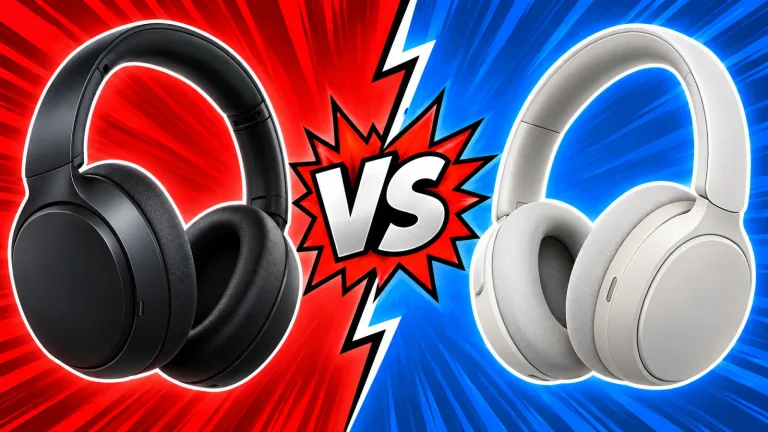
Face and text, before and after, a question, a big number for a list video. Or two products head to head. Pick one and change only the words.
Frequently asked questions
What size is the output?
A Landscape 3:2 image if you pick that Format. YouTube thumbnails are 16:9, so crop the top and bottom in your editor. Upscale first if you need more pixels.
Can I use my own face?
Yes, upload it. The layout builds around your photo.
Will the text be spelled right?
Usually. Keep it to three words and check before uploading.
What does GPT Image 2 (medium) cost here?
14 credits per image. The exact total appears above the button before you generate.
