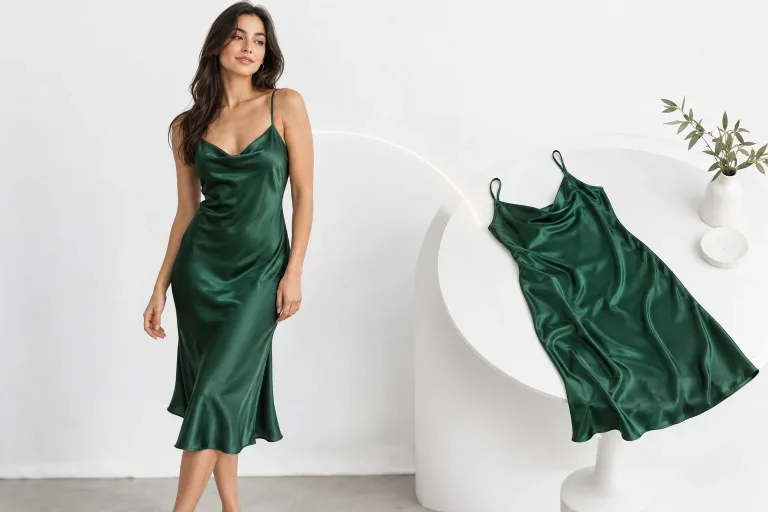
How to use Virtual Try-On
Upload a clear photo of the person
Under Your image, add the person in a simple pose and even light. The whole area the garment will cover should be in view. Crossed arms, bags or hands over the clothes make the fit harder to get right. JPG, PNG or WebP up to 10 MB.
Add the garment and confirm consent
Under Garment photo, upload the item from the front and uncropped. Show it flat or on a hanger against a plain background, so color, print and shape are clear. Always add it: a run can start without it, but then there is no garment to try on. Check the consent box: everyone shown must have agreed to the edit.
Choose what to replace and the format
Pick a Style preset for what to replace, such as Top only or Outerwear. It fills Notes (optional), where you can add a detail like "sleeves rolled up". Both are optional. Under Format, Portrait 4:5 or Portrait 9:16 suits full-body shots.
Check color, print and edges
Press "Try it on" and compare color, print and neckline with the garment photo. Also check the edges at hands and hair. If details are lost, reshoot the garment flat, in daylight and uncropped: that helps more than notes. The result shows the look, not the size.
What a real job costs here
Runs on this page cost 38 credits. At the best pack rate that is about $0.4044.
| Pack | Credits | Runs with Nano Banana Pro |
|---|---|---|
| $9 | 750 | 19 |
| $19 | 1,650 | 43 |
| $39 | 3,500 | 92 |
| $79 | 7,300 | 192 |
| $149 | 14,000 | 368 |
What this model is good at and where it stops
Nano Banana Pro: Hero images where realism decides the result. Photoreal skin and texture. Watch out for: higher rate than everyday image models.
Two photos, one result
The person photo sets pose and light. The garment photo sets the product. The model drapes one onto the other, matching fold and shadow.
Where it earns its keep
Listings, lookbooks and social. One model photo carries a whole collection instead of a whole shoot.
What it does not do
This is a visualization, not a fitting service. Sizing is not simulated, so do not present it as a fit guarantee.
Frequently asked questions
How is this different from the clothes changer?
Same engine, commerce framing. The clothes changer starts from a description, this one starts from your product photo.
Do I need consent for the model photo?
Yes, and the consent box is enforced. Use your own shoots or licensed images.
Will the face change?
It should not. Every preset asks to keep the face, hair and background and to change only the clothing. Check the face on a close crop.
What does Nano Banana Pro cost here?
38 credits per image. The exact total appears above the button before you generate.
