How to use Restore Old Photos
Scan the print flat
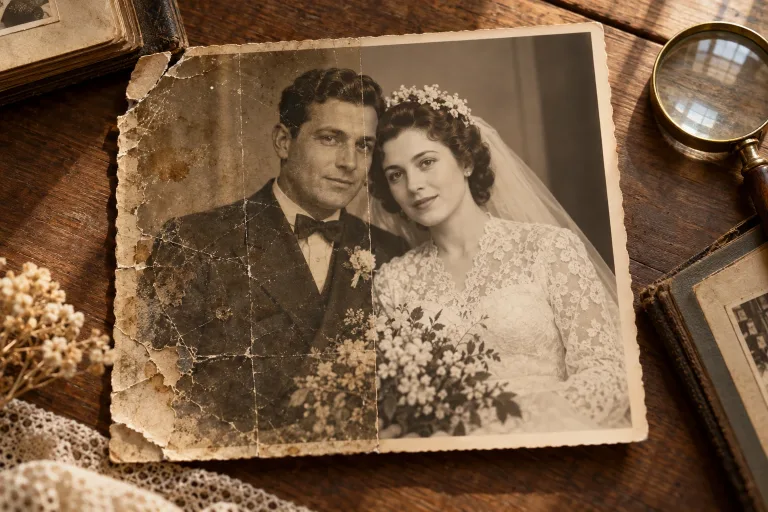
Scan the photo flat rather than photographing it at an angle. Crop away the album page and add the file under Your image. A high-quality JPG keeps a large scan within the limit: JPG, PNG or WebP up to 10 MB.
Confirm consent, skip the notes
Check the consent box: everyone shown must have agreed to the edit. Notes (optional) can stay empty, because restoration runs automatically.
Choose a model and restore
Under Model, select one of the two options, then press "Restore photo". Use the same scan for every run, so you can compare the results fairly.
Check faces against the scan
Compare faces with the original: eyes, teeth and hair are rebuilt and may not match the real person. If they look wrong, run the scan with the other option under Model. Keep the original, and upscale the restored file for print.
What a real job costs here
The cheapest model on this page charges 3 credits and the most expensive 13 credits. At the best pack rate that is about $0.0319 up to $0.1384.
| Pack | Credits | Runs with Old Photo Restoration |
|---|---|---|
| $9 | 750 | 57 |
| $19 | 1,650 | 126 |
| $39 | 3,500 | 269 |
| $79 | 7,300 | 561 |
| $149 | 14,000 | 1,076 |
Choosing between the models on this page
Face Restore
Old Photo Restoration
Old photos fail in three ways
Faces lose detail, grain takes over, and color fades. Old Photo Restoration works on the whole photo against all three. You pick it or Face Restore under Model, one per run.
Faces get their own model
Face Restore is a separate model that rebuilds eyes, skin and hair that generic sharpening smears. Pick it under Model when the faces matter most.
Finish for print or for screen
Restore first, then upscale to 4x for framing. For a post, the restored file is already enough.
What a run costs here
Old Photo Restoration costs 13 credits per image, Face Restore 3. The exact total sits above the button before you generate.
Frequently asked questions
Will it invent details?
It reconstructs what the model expects, so treat it as restoration and not evidence. Keep the original scan.
Does it colorize?
Not in this pass. Use the AI photo editor to colorize afterwards.
Do my notes change the result?
No. Both models work from the photo alone, so the Notes box can stay empty.
Is this old photo repair?
Yes. Pick one of two models under Model. Old Photo Restoration handles scratches, fading and grain across the photo, and Face Restore handles faces. Each is a separate run.
