How to use AI Packaging Design
Describe product, brand and mood
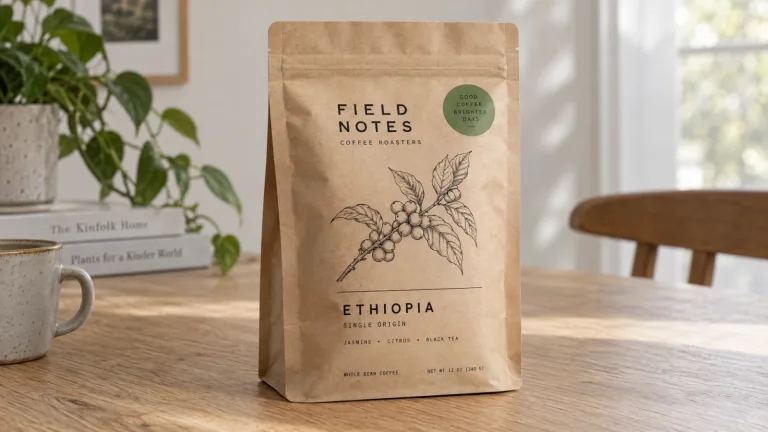
In "Describe the product and brand", write what is inside, the kind of pack and the feel. For example: oat granola in a kraft pouch, brand name "Hearth", warm and homemade. Put the brand name in quotes and keep other text short. Every extra word is one more the model can misspell.
Start from a preset
The chips under Style preset load a full brief. Choose from Coffee bag, Cosmetic box, Bottle label, Snack pouch, Candle jar, Tea tin and Wine label. A chip replaces the text in the box, so pick it first. Then swap the example brand name in quotes for yours and change the product.
Add your logo and pick a format
Under Your logo (optional), upload the mark as a PNG on a transparent or white background. JPG, PNG or WebP up to 10 MB. The model puts it on the pack but can redraw small details, so compare it with your file. Under Format, choose Square 1:1, Portrait 2:3 for bottles and jars, or Landscape 3:2 for a wider shot.
Read every word
Press "Generate packaging" and read every letter on the pack. If a word comes out wrong, shorten the text and run it again. Treat the result as a direction for your designer or printer. It has no dieline, no exact dimensions, no ingredients list and no barcode.
What a real job costs here
The cheapest model on this page charges 14 credits and the most expensive 19 credits. At the best pack rate that is about $0.1490 up to $0.2022.
| Pack | Credits | Runs with GPT Image 2 (medium) |
|---|---|---|
| $9 | 750 | 53 |
| $19 | 1,650 | 117 |
| $39 | 3,500 | 250 |
| $79 | 7,300 | 521 |
| $149 | 14,000 | 1,000 |
Choosing between the models on this page
GPT Image 2 (medium): Posters, menus, interfaces and any image with readable text. Typography that stays readable at small sizes. Watch out for: not the most photoreal option.
GPT Image 2.5: Edits and product shots where the subject must stay recognizable. Sharper detail and more natural light. Watch out for: small, dense text can still break.
See a direction before you brief anyone
Small brands often walk into a print shop with a mood board and a vague idea. Here you can set a kraft bag against a glossy pouch, or a serif against a bold sans. It takes a few minutes. Take the one that fits to your designer as a reference.
How the brand name and logo get on the pack
The model writes the brand name from your text. Put it in quotes and spell it the way it should appear. If you upload a logo, the prompt asks for it to be placed as given. Small marks and thin lines can still shift, so compare the result with your file.
What it does not do
The result is a concept image, not a print-ready dieline. It has no exact dimensions, bleed or color profile. Ingredients, nutrition tables, barcodes and legal marks are your designer's job. The model can misspell words and invent numbers.
Frequently asked questions
Can I send the image straight to a printer?
No. It is a flat picture of a pack, not a dieline with folds, bleed and exact sizes. Give it to a designer or the printer's prepress team as a visual reference.
Why is a word on the pack misspelled?
Image models draw letters rather than typeset them, so mistakes happen, mostly in long or small text. Keep the copy to the brand name and one short line. Read every word before you share the image.
Do I need a logo?
No. Without one, the model sets the brand name in the typeface the preset or your text describes. With one, upload a clean PNG, ideally on a transparent background.
What does GPT Image 2 (medium) cost here?
14 credits per image. The exact total appears above the button before you generate.
