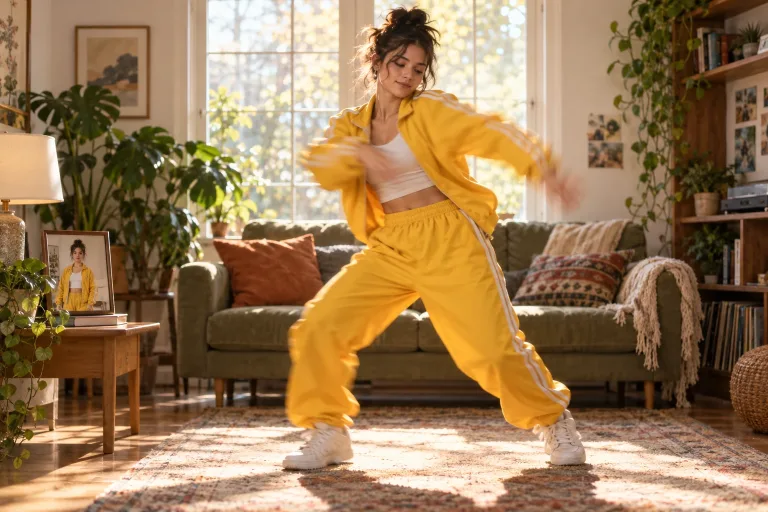
How to use AI Dance Generator
Upload a full-body photo
Under Photo to animate, add one person, character or pet seen head to toe. The photo should be sharp and evenly lit, with hands and feet visible. JPG, PNG or WebP up to 10 MB. Then check the consent box: everyone shown must have agreed.
Pick a dance style or describe it
Click a style under Dance styles, such as Hip-hop groove or Salsa. It fills the box with a ready description you can edit. The box is optional. Use it for specific moves, such as "shoulder rolls, a quick spin and a freeze on the last beat".
Set model, length and resolution
Choose a Model first: the Duration and Resolution options depend on it, and not every model adds sound. Start with a short clip, because longer ones tend to repeat moves.
Check the body, then adjust
Press "Make it dance" and check the face, hands, feet and rhythm. If the legs look invented or extra fingers appear, try a sharper head-to-toe photo on a plain background. That usually helps more than rewording.
What a real job costs here
The cheapest model on this page charges 12 credits per second and the most expensive 27 credits per second. At the best pack rate that is about $0.1277 up to $0.2874 per second. A 6-second clip costs 72 credits, roughly $0.77.
| Pack | Credits | Seconds with Seedance 2.5 |
|---|---|---|
| $9 | 750 | 27 |
| $19 | 1,650 | 61 |
| $39 | 3,500 | 129 |
| $79 | 7,300 | 270 |
| $149 | 14,000 | 518 |
Choosing between the models on this page
Veo 3.1 Lite: Drafting and testing camera moves before spending on a flagship. Among the lowest video rates here. Watch out for: lower detail.
MiniMax H3: 2K video with native stereo audio and audio references. Native 2K at 24fps with stereo sound in one pass. Watch out for: 2K only at launch, 768p tier in closed beta.
Kling 3.0: Action, product handling and anything where physics has to look right. Physical motion at 1080p. Watch out for: no sound: clips come back silent.
Seedance 2.5: Long single takes with dialogue, and reference-heavy work built from files you supply. Native 30-second generation in one pass. Watch out for: no 1080p or 4K on this route; 480p and 720p only.
What is an AI dance generator?
An AI dance generator turns a still photo into a short video of that person, character or pet dancing. The model reads the body in your picture and the style you choose. It then animates the steps, arms and timing while keeping the face, outfit and background from the photo.
How to make a photo dance
Start with a sharp, well-lit full-body photo where the hands and feet are visible. Pick a style such as hip-hop, K-pop or salsa, or describe the moves in your own words. Generate, then check the face, hands, feet and rhythm before you share the clip.
Which photo works best
One subject, standing, head to toe, facing the camera, in even light against a plain background. Cropped legs, heavy shadows or a crowd make the model guess. Those guesses show up as stiff steps or extra fingers.
Music, models and length
Seedance 2.5, MiniMax H3 and Veo 3.1 Lite add sound inside the clip. Kling 3.0 runs silent here and is strong on body motion, so add music in your editor. Five seconds is enough for a loop on Reels, TikTok or Shorts. Longer clips cost more and repeat moves more often.
Dance video ideas
A birthday greeting, a brand mascot dancing for a launch, a pet video for the family chat. A teaser for a new song or a playful profile clip. Short, fun and clearly made with AI works best.
Consent first
Animate only people who agreed to it. Never use the tool to show someone doing something they would object to. Where a platform asks for it, label the video as AI-generated.
Frequently asked questions
Can I turn any photo into a dance video?
Most photos work when the whole body is visible and the subject is sharp. Photos cropped at the waist also move, but the legs are invented, so the steps look less natural.
What photo works best for an AI dance video?
A single person, character or pet, head to toe, facing the camera, in even light with a plain background.
Do I need a dance video as a reference?
No. The moves come from the dance style you pick or the description you write, so one photo is enough.
Can I add music to the dance video?
Seedance 2.5, MiniMax H3 and Veo 3.1 Lite generate sound inside the clip. To use a specific song you have the rights to, add it in any editor after you download.
How long should an AI dance video be?
A 5-second clip already loops well on short-video apps. Longer clips cost more per run and tend to repeat moves.
Do I need editing skills?
No. Upload, pick a style and generate. Editing only matters if you want your own music or several clips cut together.
How is the AI dance generator priced?
Per second of video, depending on the model and resolution. The exact cost appears above the button before you generate.
