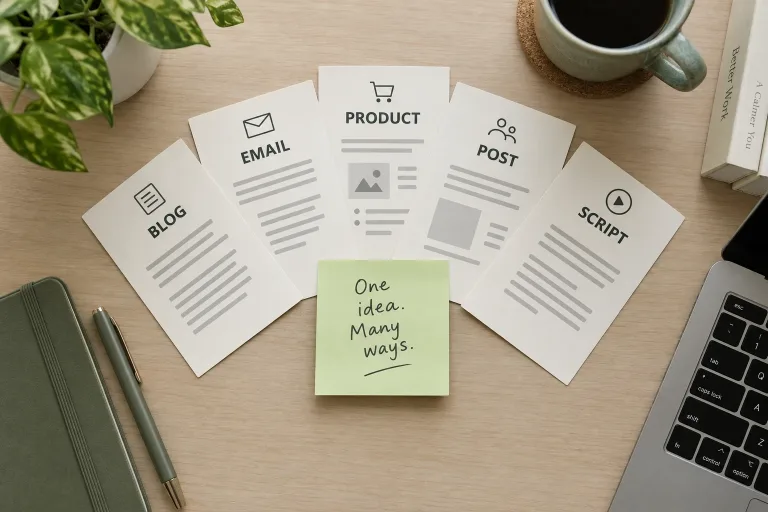
How to use AI Content Generator
Set format, tone and length
Under Format and style, choose the format, from a blog post or email to a video script or newsletter. Then pick the tone and the length. Short is about 150 words, Medium about 400 and Long about 900.
Borrow an example if you like
The buttons under "Start from an example" hold complete briefs, such as Launch email or Product page. Clicking one replaces the text box, so do it before you type. Then swap in your own product, audience and goal.
Write a short brief
In "What do you need written?", give the topic, the reader, the key points and the goal, e.g. "Beginner yoga class, Thursdays at 7 pm, for office workers nearby, goal: sign-ups". Write it in the language you want the text in.
Edit the draft before publishing
Press "Write the content" and read the draft as an editor. Fill in the marked placeholders with real figures or quotes, check every claim and cut lines that say nothing. If the structure is wrong, change the format, not the brief.
What a real job costs here
The cheapest model on this page charges 3 credits and the most expensive 16 credits. At the best pack rate that is about $0.0319 up to $0.1703.
| Pack | Credits | Thousand words with Long-form Writing |
|---|---|---|
| $9 | 750 | 46 |
| $19 | 1,650 | 103 |
| $39 | 3,500 | 218 |
| $79 | 7,300 | 456 |
| $149 | 14,000 | 875 |
Choosing between the models on this page
Short-form Copy
Long-form Writing
One brief, the format you need
Most content starts from the same few facts. These are what you offer, who it is for and what you want the reader to do. Write those down once, then choose the format. The same brief becomes a blog post, three social posts, a launch email or a product page.
What to put in the brief
Name the topic, the reader and the goal. Add the details only you know: product sizes, opening hours, the problem you solve, the words your customers use. A brief of three or four lines gives a better draft than a single keyword.
Format, tone and length
The format sets the structure. For an email, that means a subject line and one call to action. For a video script, it means a hook in the first five seconds. The tone runs from friendly to formal, and the length from a short post to a long article draft.
No invented facts
The generator is told not to make up statistics, prices, quotes or reviews. Where real data belongs, it leaves a clear placeholder for you to fill in. That keeps the draft honest and saves you from publishing a number nobody can back up.
Edit like an editor
Treat the result as a strong first draft. Read it aloud and cut the sentence that says nothing. Replace general words with your own examples and check every claim. Five minutes of editing is what makes AI-assisted content sound like you.
When to use the article generator instead
For long search articles built around one keyword, use the article generator. It writes them with sections, a comparison table and an FAQ. For everything shorter or more varied, this tool is faster.
Frequently asked questions
Which formats can it write?
Blog posts, social media posts, marketing emails, product descriptions, ad copy, landing pages, video scripts and newsletters.
Can it write in my language?
Yes. Write the brief in the language you want and the content comes back in that language.
Will the text be unique?
Each run writes a new draft from your brief. Add your own details and examples, because that is what makes content unique and useful to readers.
Does it make up facts?
It is instructed not to invent statistics, prices, quotes or testimonials and to leave placeholders instead. Always check facts before you publish.
How is the price counted?
By the length of the text, per 1,000 words, at the rate of the model you pick. The estimate shows above the button before you start.
