How to use AI Camera Motion
Upload a still with depth
Under "Your image", add a sharp photo with a clear subject. A visible foreground and background give the camera something to move past. JPG, PNG or WebP up to 10 MB. The clip takes the supported shape closest to your photo, so a portrait photo gives a vertical clip.
Pick a move or describe one
Click a "Style preset" such as "Slow dolly in", "Drone orbit" or "Bullet time". Or write a single move in "Describe the move (or pick a preset)". For example: "slow orbit to the left around the statue, camera at chest height". One clear move per clip works better than a sequence.
Set model, duration and resolution
"Duration" runs from 4s to 30s and "Resolution" from 480p to 1080p. Not every "Model" offers every value: grayed-out ones are unavailable, and 1080p may allow only 8s. "What matters most?" changes only the resolution. Draft a short clip first.
Check the motion, then simplify
Press "Generate motion" and watch for warped faces, bending edges and objects appearing from nowhere. If the subject distorts, ask for a slower, simpler move or a shorter clip. If the camera does not do what you asked, name the direction and speed explicitly.
What a real job costs here
The cheapest model on this page charges 12 credits per second and the most expensive 27 credits per second. At the best pack rate that is about $0.1277 up to $0.2874 per second. A 6-second clip costs 72 credits, roughly $0.77.
| Pack | Credits | Seconds with Veo 3.1 Lite |
|---|---|---|
| $9 | 750 | 62 |
| $19 | 1,650 | 137 |
| $39 | 3,500 | 291 |
| $79 | 7,300 | 608 |
| $149 | 14,000 | 1,166 |
Choosing between the models on this page
Veo 3.1 Lite: Drafting and testing camera moves before spending on a flagship. Among the lowest video rates here. Watch out for: lower detail.
Wan 3.0: Long text-to-video shots that must hold one scene, now up to 1080p. First on a public text-to-video leaderboard. Watch out for: on-screen text is still maturing.
Kling 3.0: Action, product handling and anything where physics has to look right. Physical motion at 1080p. Watch out for: no sound: clips come back silent.
Seedance 2.5: Long single takes with dialogue, and reference-heavy work built from files you supply. Native 30-second generation in one pass. Watch out for: no 1080p or 4K on this route; 480p and 720p only.
Camera moves are a language
Video models respond to how a shot moves, not just what is in it. Naming the move is the difference between a slideshow and a scene.
Eight ready-made moves
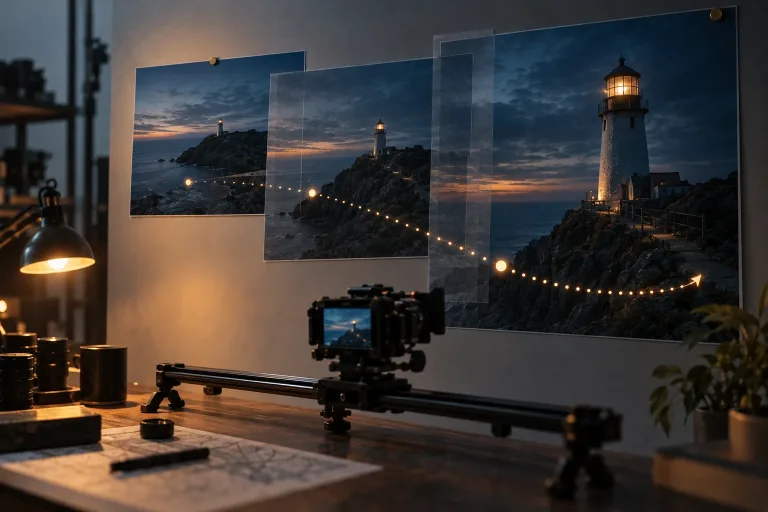
Zoom to Earth, fisheye, bullet time, slow dolly in, crane up and drone orbit. A preset replaces the text box with a written move, which you can then edit.
Cheap to try, easy to finish
Draft at the lowest per-second rate, then upscale only the take that works. Sound effects are one click away.
Frequently asked questions
What image works best?
A clear subject with some depth. Portraits, products and landscapes with a foreground all move well.
How long can the clip be?
It depends on the model. Veo 3.1 Lite makes 4, 6 or 8 seconds, and Kling 3.0 makes 5, 10 or 15. Seedance 2.5 makes 4 to 30. Feeds reward one clean move over a long take.
How is it priced?
Per second of video. The total is shown before you generate.
